ToStylMou
Finding your personal style & brand.
type
Mobile App
Social Media
tools
Figma
Zoom
duration
5 weeks
clients
Kevin Augutis
Erika Augutis
What is ToStylMou?
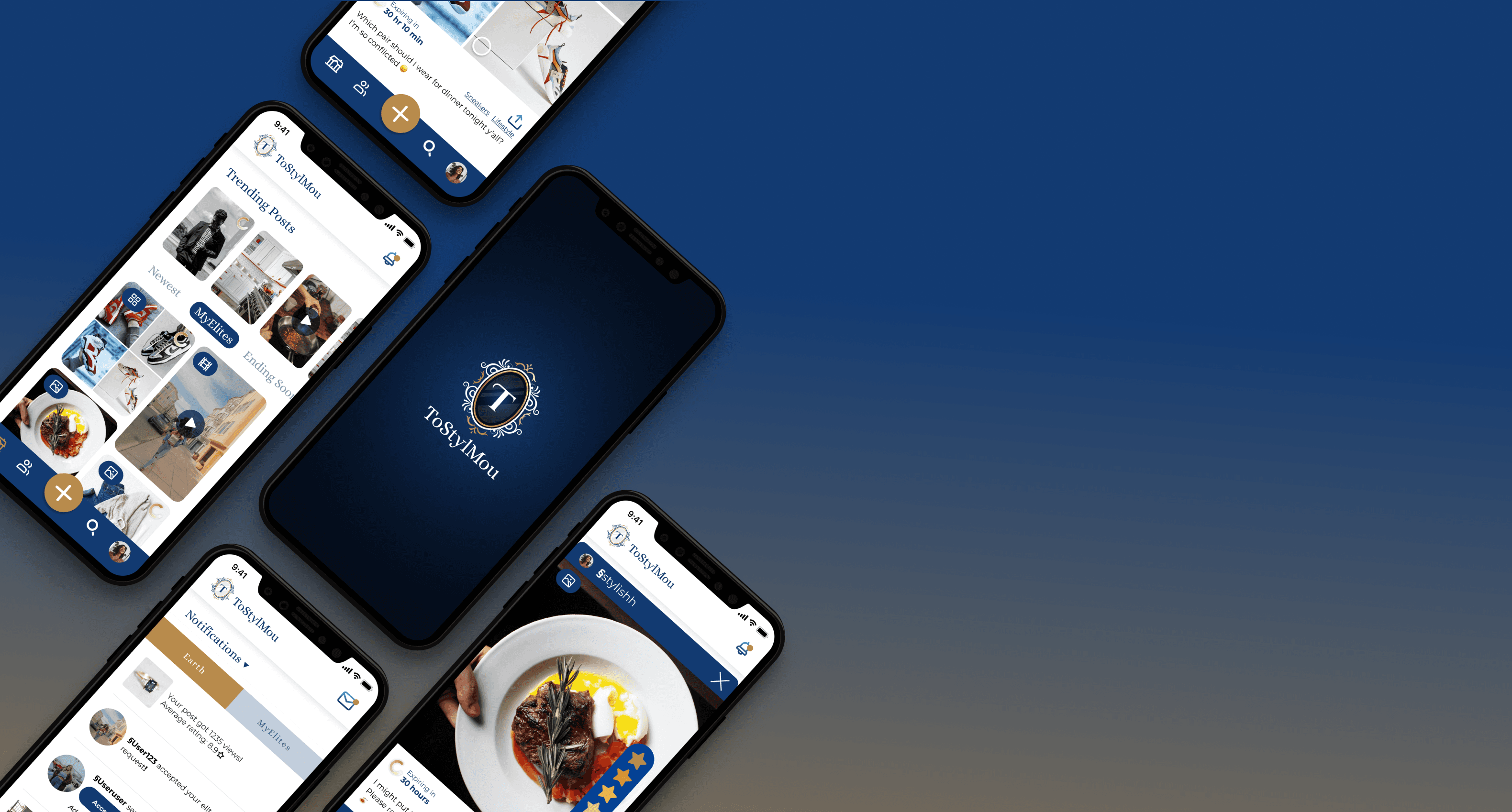
ToStylMou is a mobile application that aims to support its users in their journey to find or reinforce their personal style or brand. It’s an app that provides a safe space for real-time style feedback from other users and amplifies user confidence. The social application promotes and evolves personal brand and style with sharing, ratings, and critiques.
My Role
For this project, I was part of the UI/UX design team with two other designers. We collaborated closely with the client to iterate and produce prototypes for ToStylMou, a social media mobile app. I was responsible for:
Project planning
Prototypes
UI design
Usability testing
The Team
Makayla Chen - UI&UX Designer
Chris Cheung - UI&UX Designer
Malina Padgett - UX Designer
🎯 the challenge
Refining existing designs and introducing new ways to engage users
ToStylMou previously had a team of designers create a prototype and test the prototype, but the team was unable to make iterations due to time constraints. My team iterated on two of these tested features and created a new feature. To improve ToStylMou’s real-time feedback, our team focused on these three main features of the app:
Rating Feature: Users can leave ratings on other users’ posts
Timer Feature (viewer side): Users can see how much time is left on a post
Ranking Feature: Users can rank and compare a series of images
📝 the solution
Elevating ToStylMou’s branding and experience through thoughtful refinement
Our team fleshed out the rating feature, ranking feature, timer feature, made changes to the initial prototype to reflect user feedback, and found icon kits for the app. With these changes and additions to ToStylMou, we are able to improve the app’s branding and usability.
Project Plan
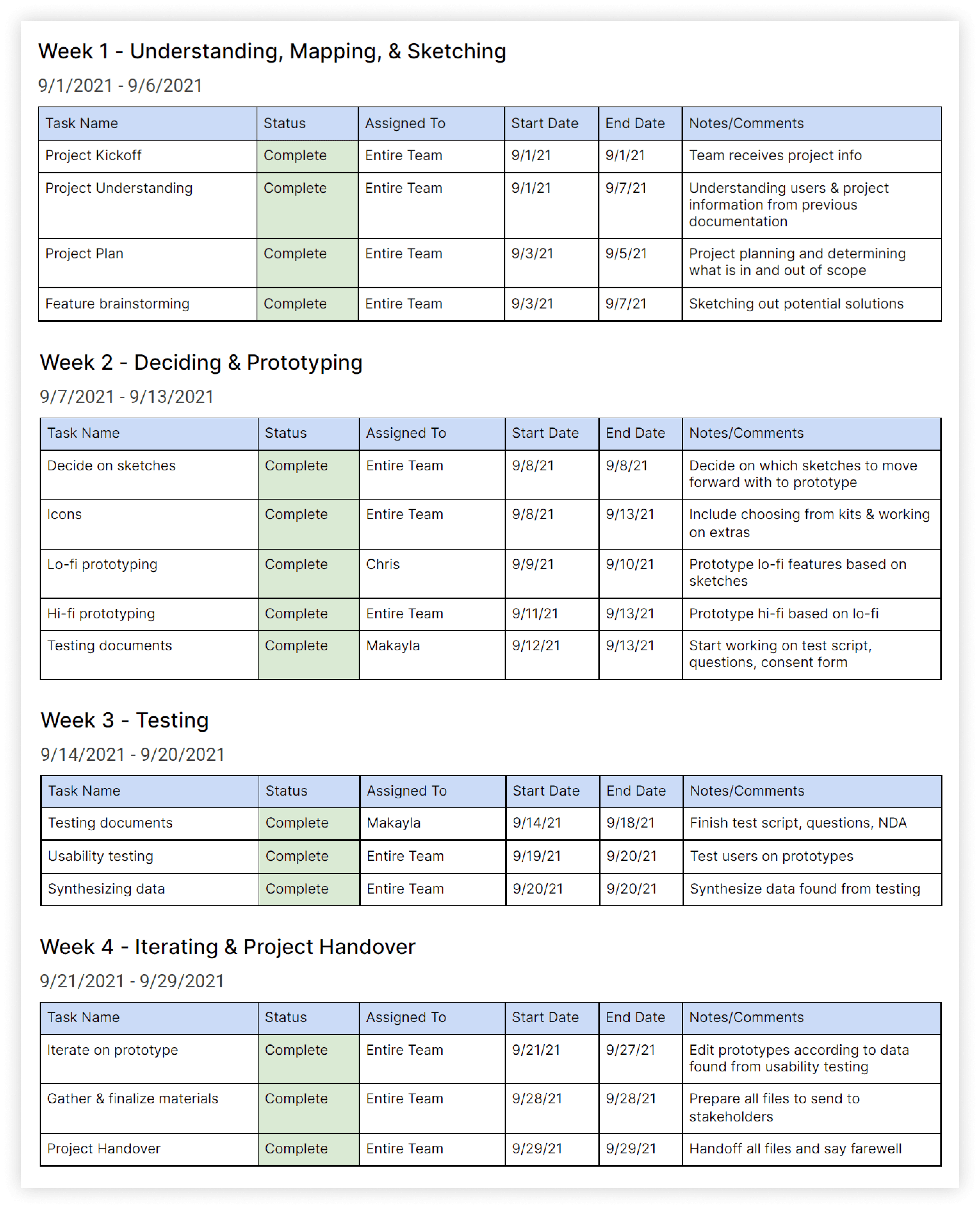
After meeting the clients at the project kickoff and spending some time understanding the project scope, I created a project plan to lay out what our team would get done by certain dates. This was to ensure we would be able to finish all tasks within a 4-week time frame. The project plan was a living document that allowed stakeholders to see what our team was working on at any given time.
User Personas
Our Users
Age 20-44
Wants feedback on personal brand from others
Expressed an interest in wanting to build their brand
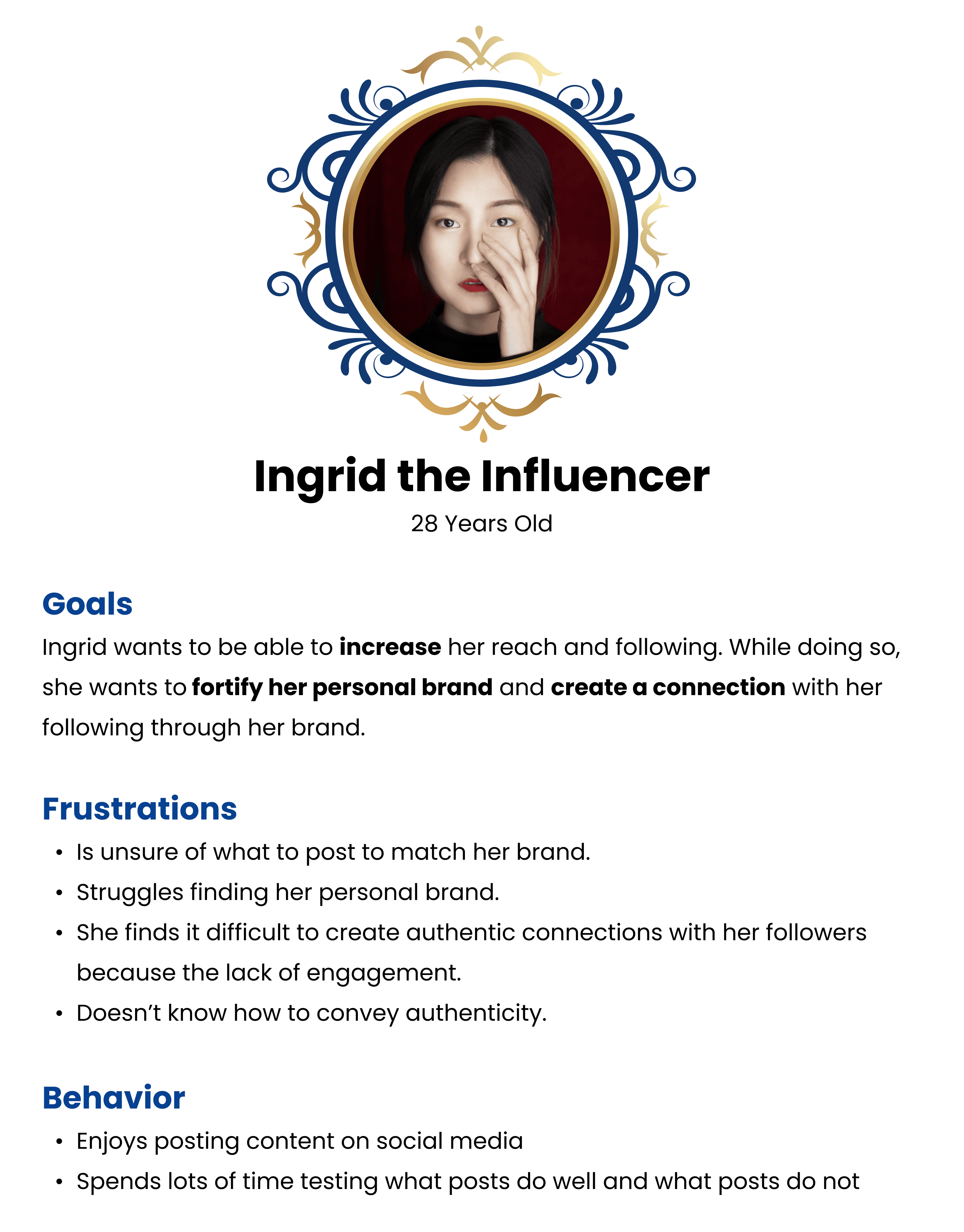
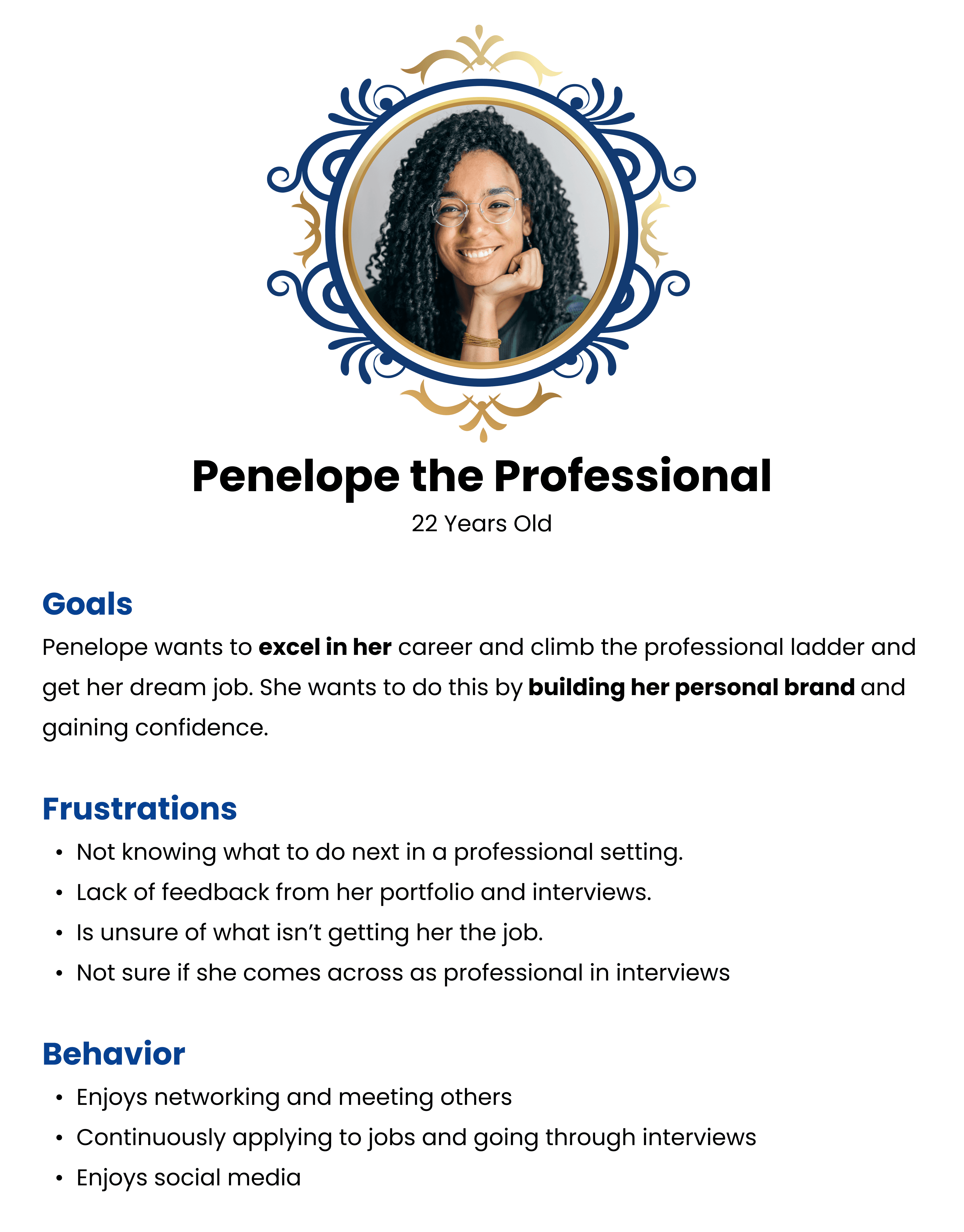
While looking at the previous team’s user research, we learned about user goals, motivations, and frustrations through two personas:
Ideation & sketching
Members pitched in various ideas and approaches to solve the features. Based on user feedback, we narrowed features down to the following sketches:
Feature 1
Rating Feature
The rating feature was one of the features the previous team created. The rating feature allows the users to rate other users’ posts on a scale.
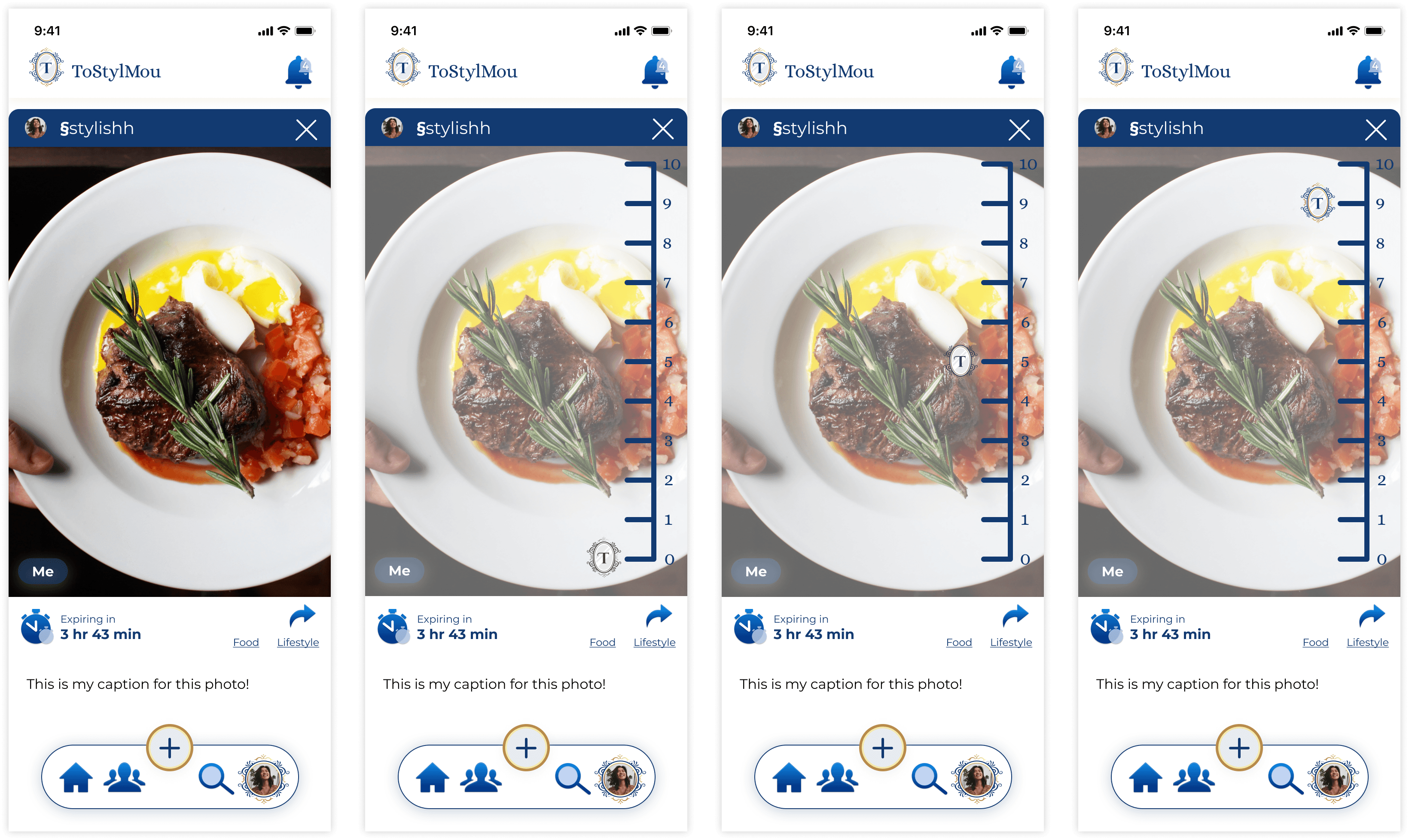
Previous Approach
This was the initial approach from the previous team.
After looking at the previous team’s testing, we found that users had the following feedback:
The rating bar felt off-brand
There were too many numbers
It was difficult to tell where the placement of the rating was
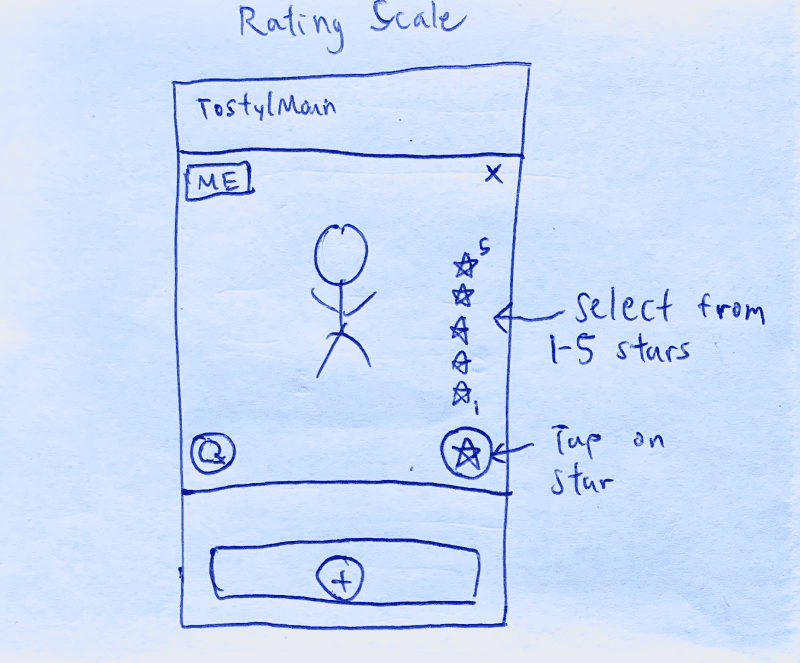
New Approach ✨
This was the initial approach from the previous team.
After looking at the previous team’s testing, we found that users had the following feedback:
The rating bar felt off-brand
There were too many numbers
It was difficult to tell where the placement of the rating was
Feature 2
Timer Feature
All posts in ToStylMou are timed. A user will only be able to leave feedback on the post within a designated time limit. Doing so promotes quick, real-time feedback.
Previous Approach
Previously, there was a large stopwatch to indicate time was running low for that post, but users found the icons to be “too distracting” and “took up too much space.”
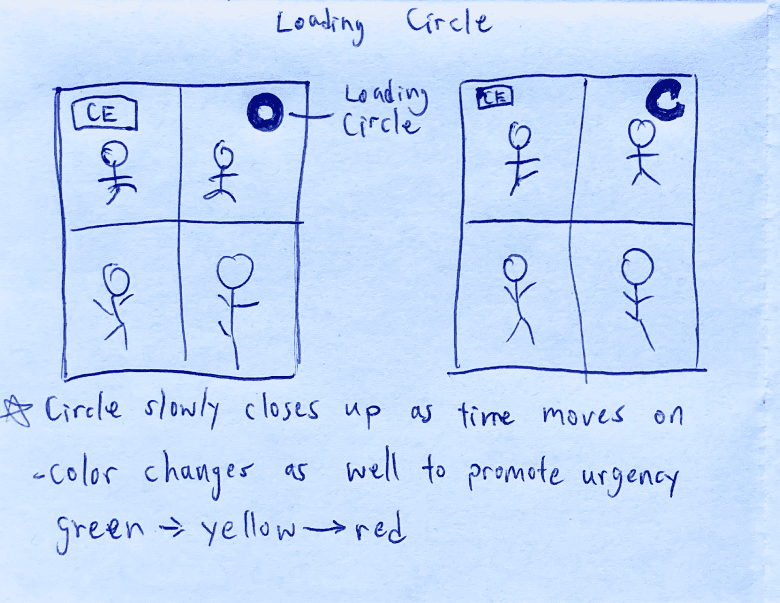
New Approach ✨
My team decided to have green, yellow, and red circles to represent time running out on a post. Users will be able to see which posts are running out of time at a first glance with this simple circle.
Feature 3
Ranking Feature
The ranking feature was a new feature the client asked my team to integrate into the app. The ranking feature acts as a comparison tool to help users express which images they like best to least. It is an additional method to receive feedback when choosing between styling items.
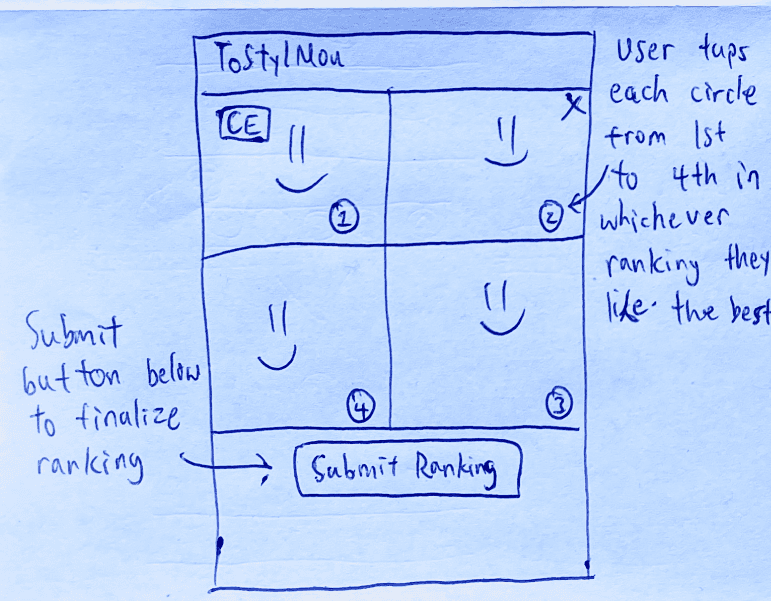
The Approach ✨
The users will be able to rank the images 1-4. Once the user has selected which images they like best to least, the user will click “Submit Ranking” to submit their ranking. Once the user has done so, they will be able to see what other users have ranked the images.
UI Improvements & Componentry
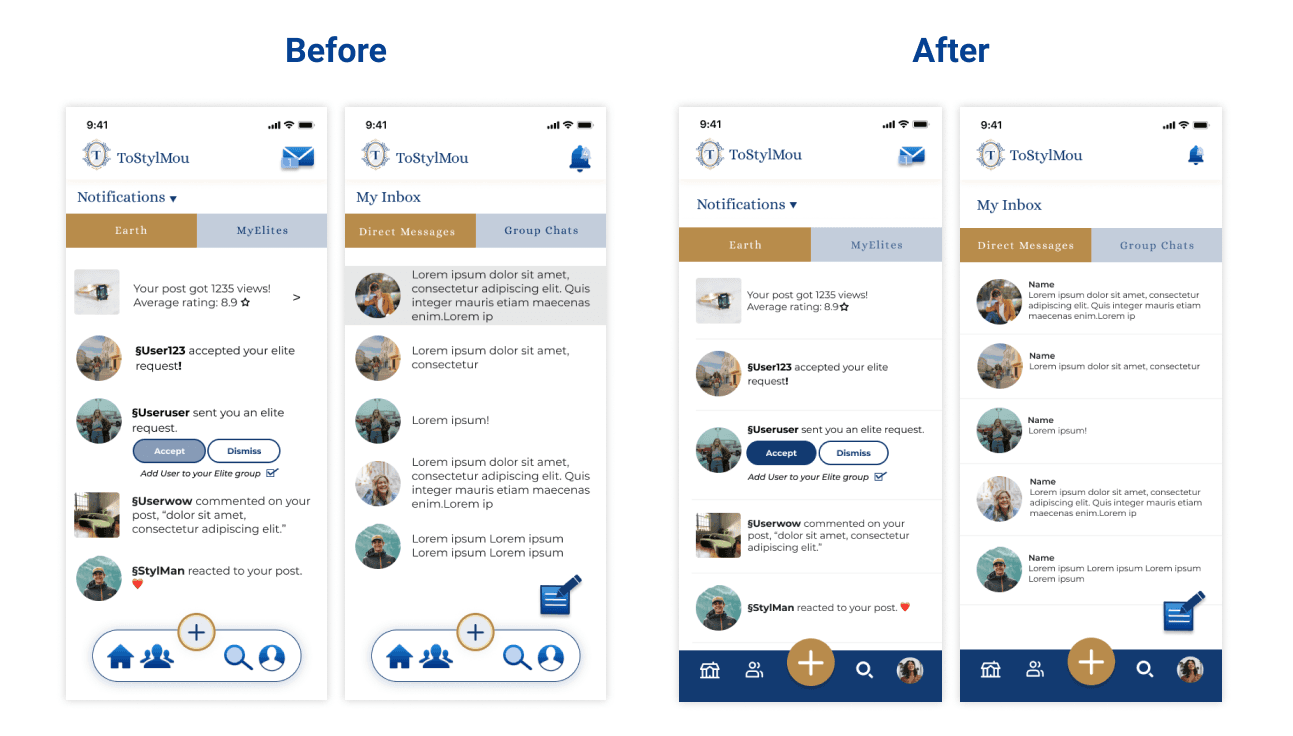
Based on the previous team’s testing, users mentioned that the app lacked consistency and needed to be cleaned up. I took the time to make updates throughout the app to address this feedback as these elements are important to company branding and app unity. The following changes were made:
Created a consistent grid system throughout the app.
By creating a consistent grid system, the app can visibly become more organized and uniform.
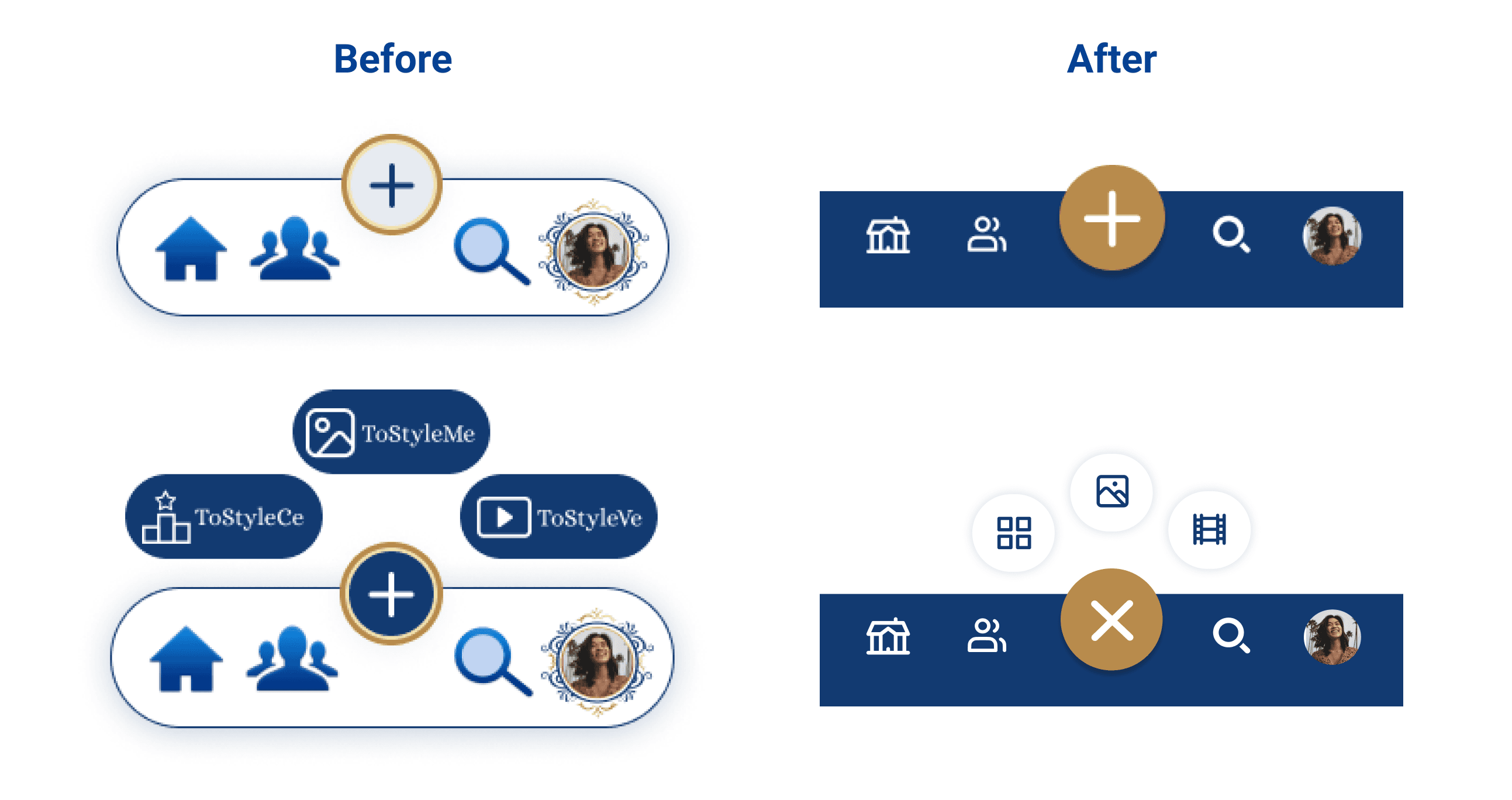
Improved the navigation bar to allow more space for content.
The navigation bar was the UI element users provided feedback on the most. The navigation covered a lot of the content and felt cluttered. With the new navigation bar, elements are simplified, and it takes up less of the screen.
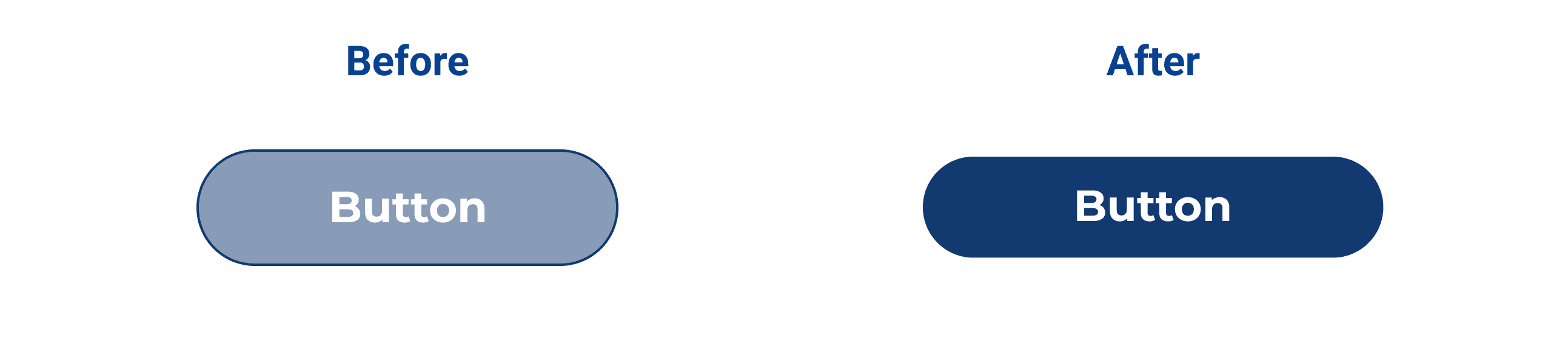
Adjusted button colors to improve visibility.
The previous primary button’s colors are difficult to see and are not WCAG compliant. The button could also potentially be seen as a “disabled” button. By darkening the button foreground color, any hesitation is alleviated.
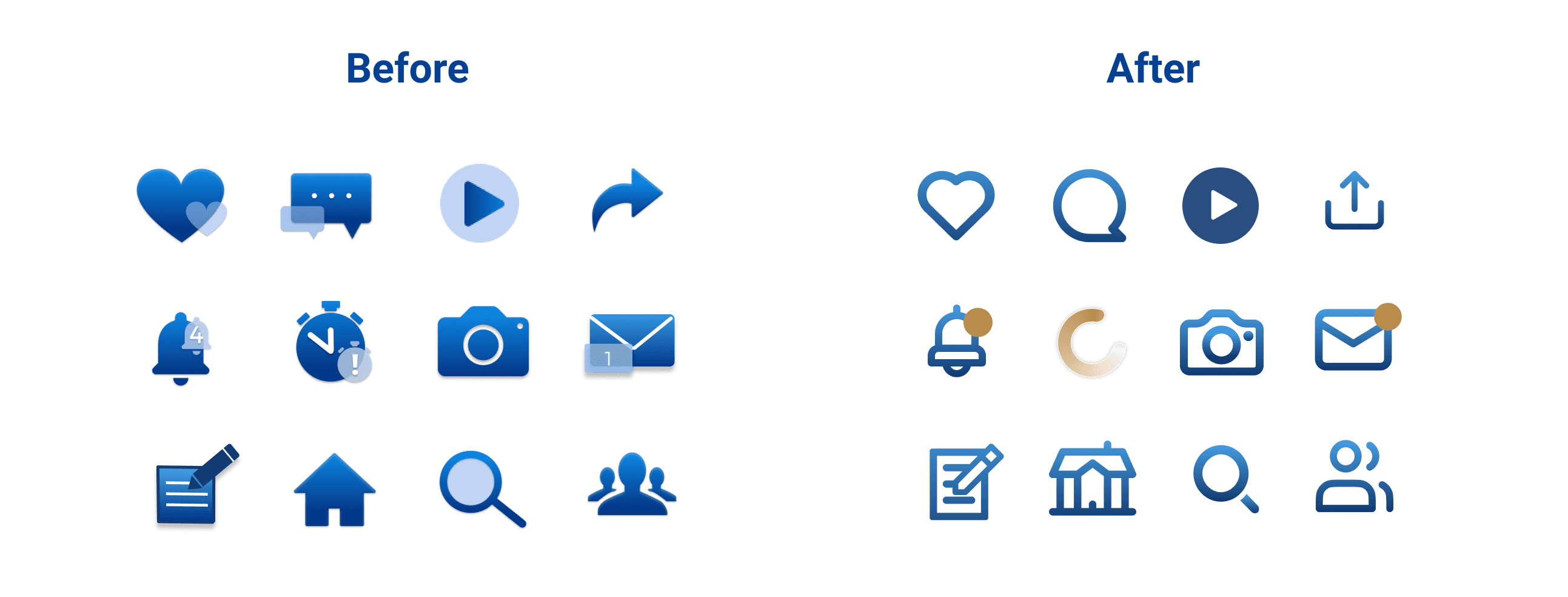
Iconography
ToStylMou already had a set of icons, but my team was asked to look for a new icon set that would be used in the app.
Interaction Design
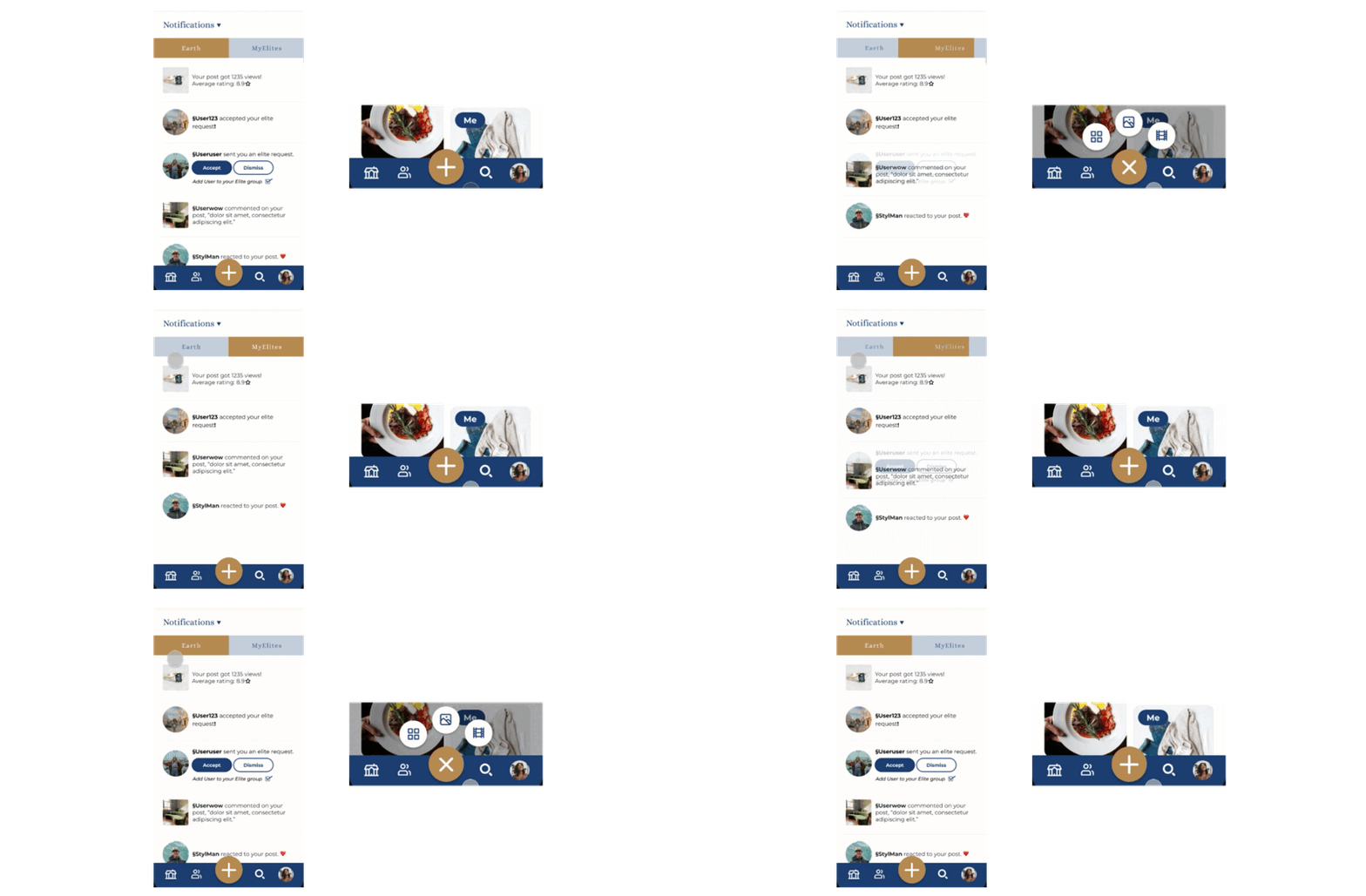
ToStylMou did not previously have any interaction design throughout the app, so I challenged myself with my background in motion graphics design to add in micro animations to provide users feedback.
Usability Testing
Testing
After finishing the high-fidelity prototypes, we did some usability testing to see if our changes and additions to ToStylMou met user needs. A total of six participants were recruited and all were tested remotely via Zoom.
Testers were given a total of four scenarios:
View the Home Screen - “You’re already logged in. Go ahead and take a minute or so to explore this screen.”
Rating a Post - “A person just posted an image of a dish they made. Give them a score of how they did.”
Comment on a Post - “You left the person a rating and now want to let them know more about what you think about the dish.”
Rank Images in a Post - “A person is trying to decide between different shoes to purchase. Let them know which ones you like best.”
So what did we find?
All participants were able to complete every scenario, but there were three prominent findings from testing:
Finding 1
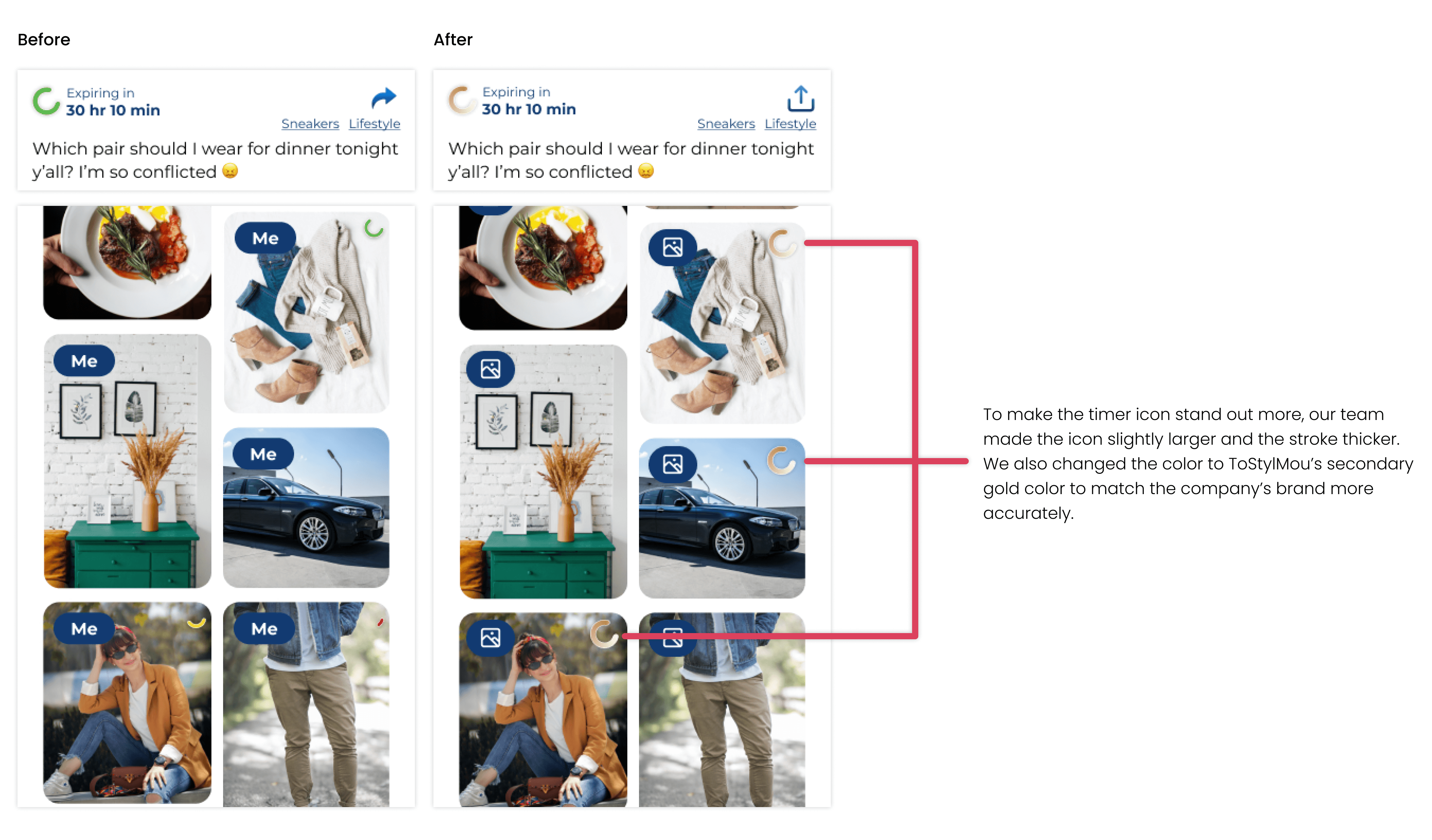
Timer icon needed to be more noticeable & feel more “on brand”
After testing, many users did not notice the timer icon on the posts. A couple of users also mentioned that the green, yellow, and red felt “off-brand.”
Finding 2
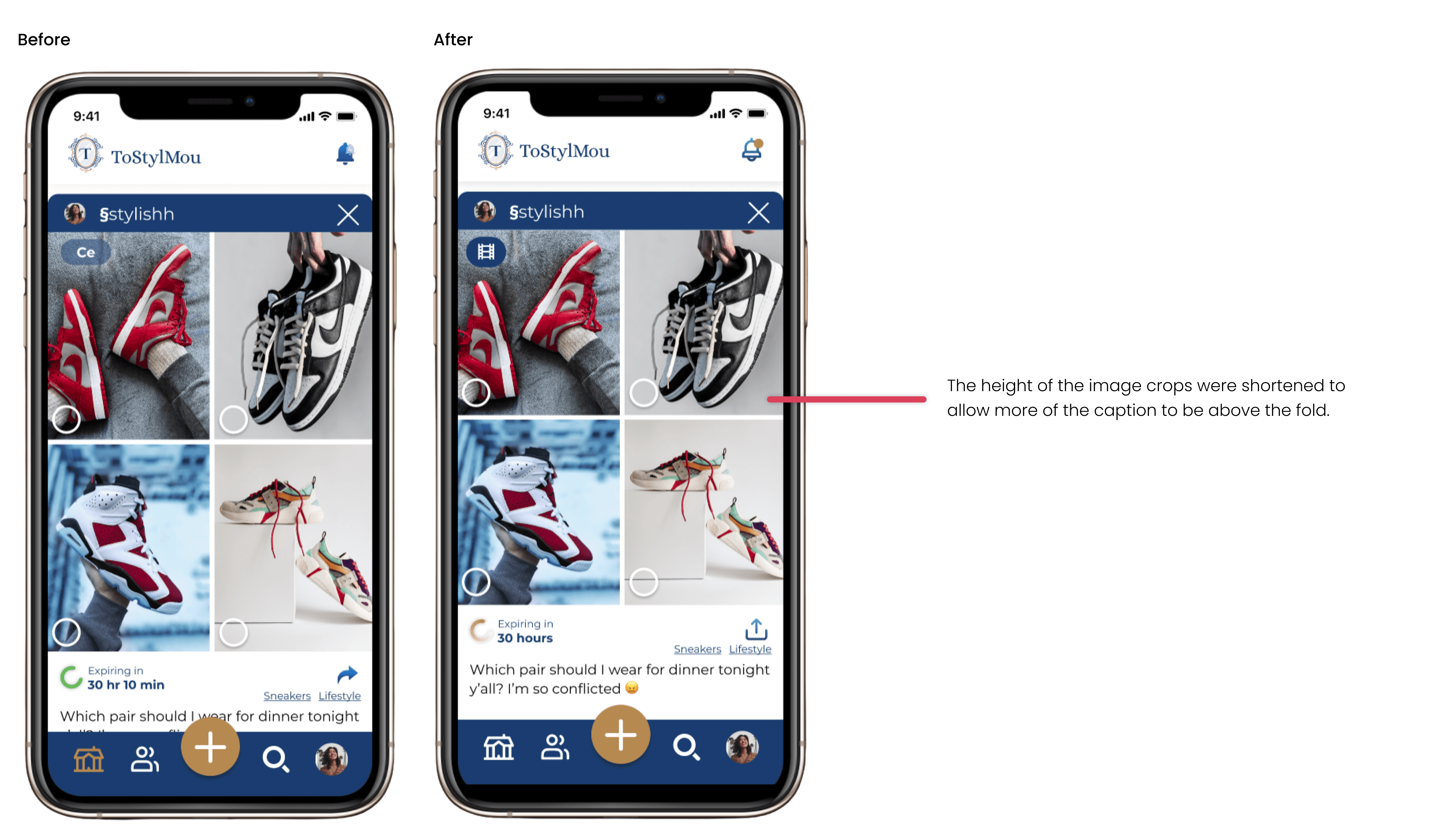
Users couldn’t get image context
While viewing posts, many users were unable to see the caption of the post due to the image being too large and not above the fold of the screen. Users were unable to get context of what they were rating or ranking.
Finding 3
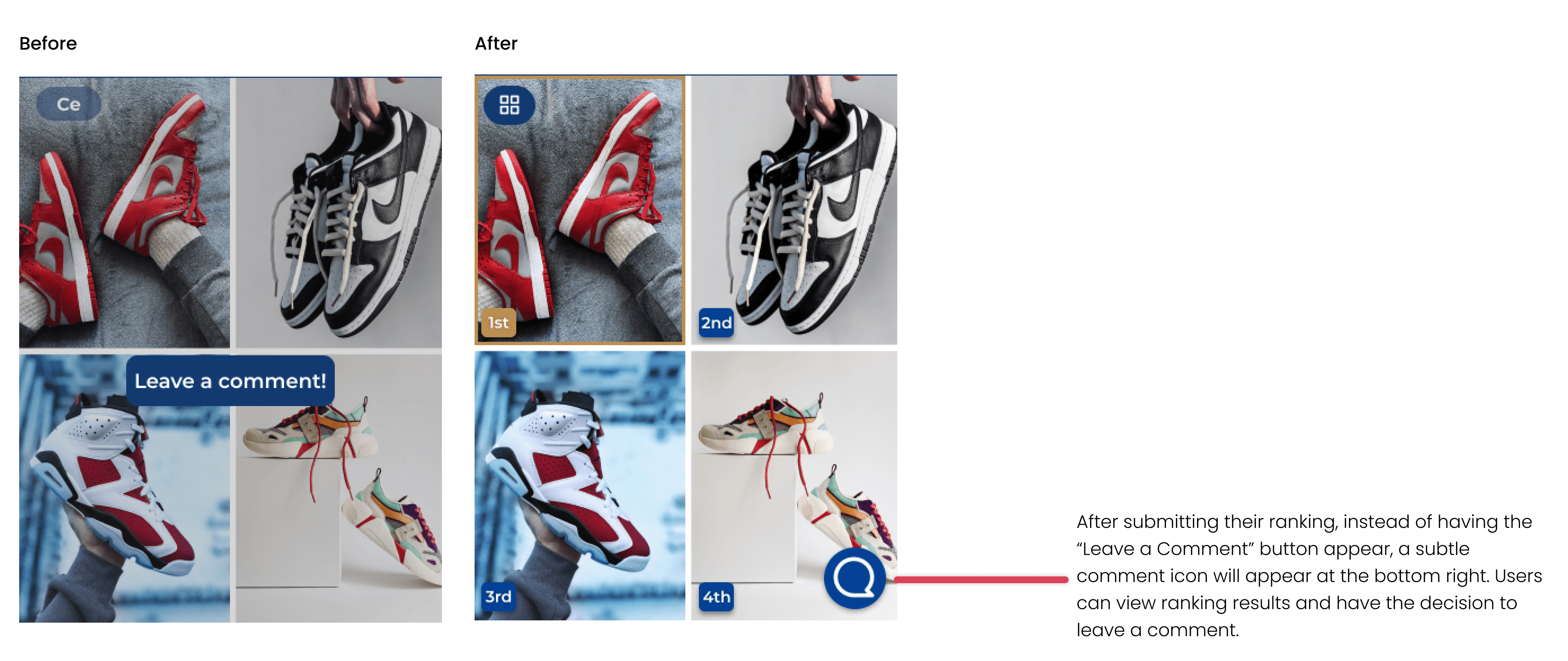
Removal of the “Leave a Comment” button
A couple of users mentioned that the “Leave a Comment” button was too jarring and out of place.
Lessons & Next Steps
Lessons
During the project, I really enjoyed working closely with my teammates and the stakeholders. It was a challenge having everyone remote, but by having weekly meetings and communicating efficiently through emails and WeChat, we made it work. There were also obstacles with illnesses, misaligned meeting times, and juggling tasks, but we resolved this issue with meeting notes and close communication to ensure everyone was on the same page.
What's next?
Our team was unable to do a final round of testing, but we did create a prototype with all of the changes to handover to ToStylMou. If I were able to continue working on the project, I would do another round of testing to ensure the last iterations our team made increased usability.
makaylamchen@gmail.com