CityPups
type
Website
Quick Match
tools
Figma
duration
5 days
Design Sprint
Project Role
I was the sole UX & UI designer on the CityPups project. The user research was already provided by the project. My role was to create a minimum viable product (MVP) for CityPups based on the data and then test the prototype.
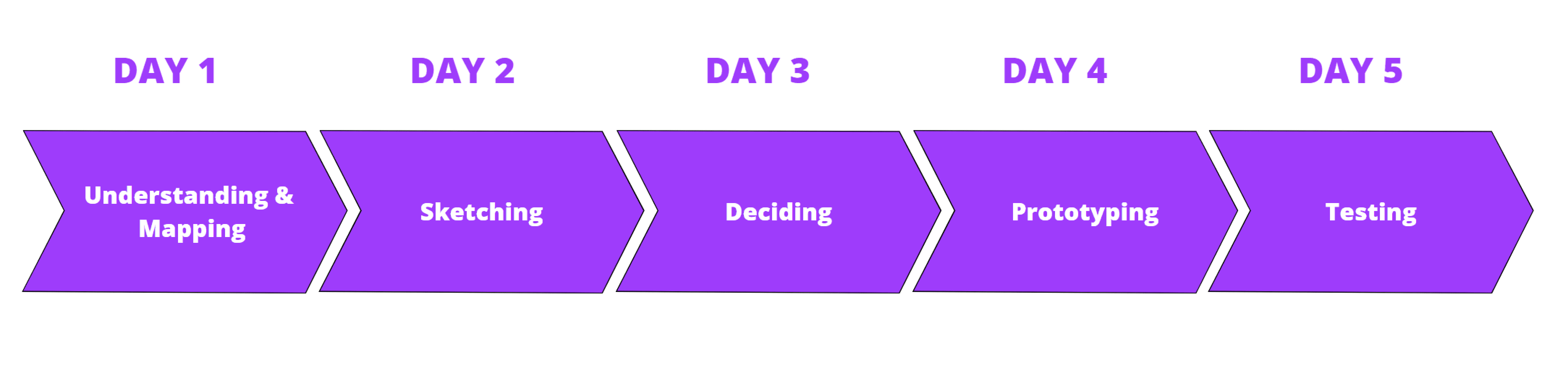
For the CityPups project, I conducted a five-day design sprint using the GV (Google Venture) design sprint. The purpose of the design sprint is to test if a feature would be a success without putting in too many resources.
Day 1
Understanding & Mapping
🎯 The Challenge
“CityPups is a new startup that wants to help people living in cities find the perfect dog to adopt.”
Adopting a dog is an important decision for both the dog and the owner to find the perfect match and provide a dog its forever home. The decision becomes harder for those living in the city. There are more requirements that need to be met so that the dog and owner get along and can live together without worry. Some considerations include living space, schedule and transportation, and dog behavior. This can, unfortunately, make the adoption process much longer and stressful.
📝 The solution
Simplifying the adoption journey through personalized matching
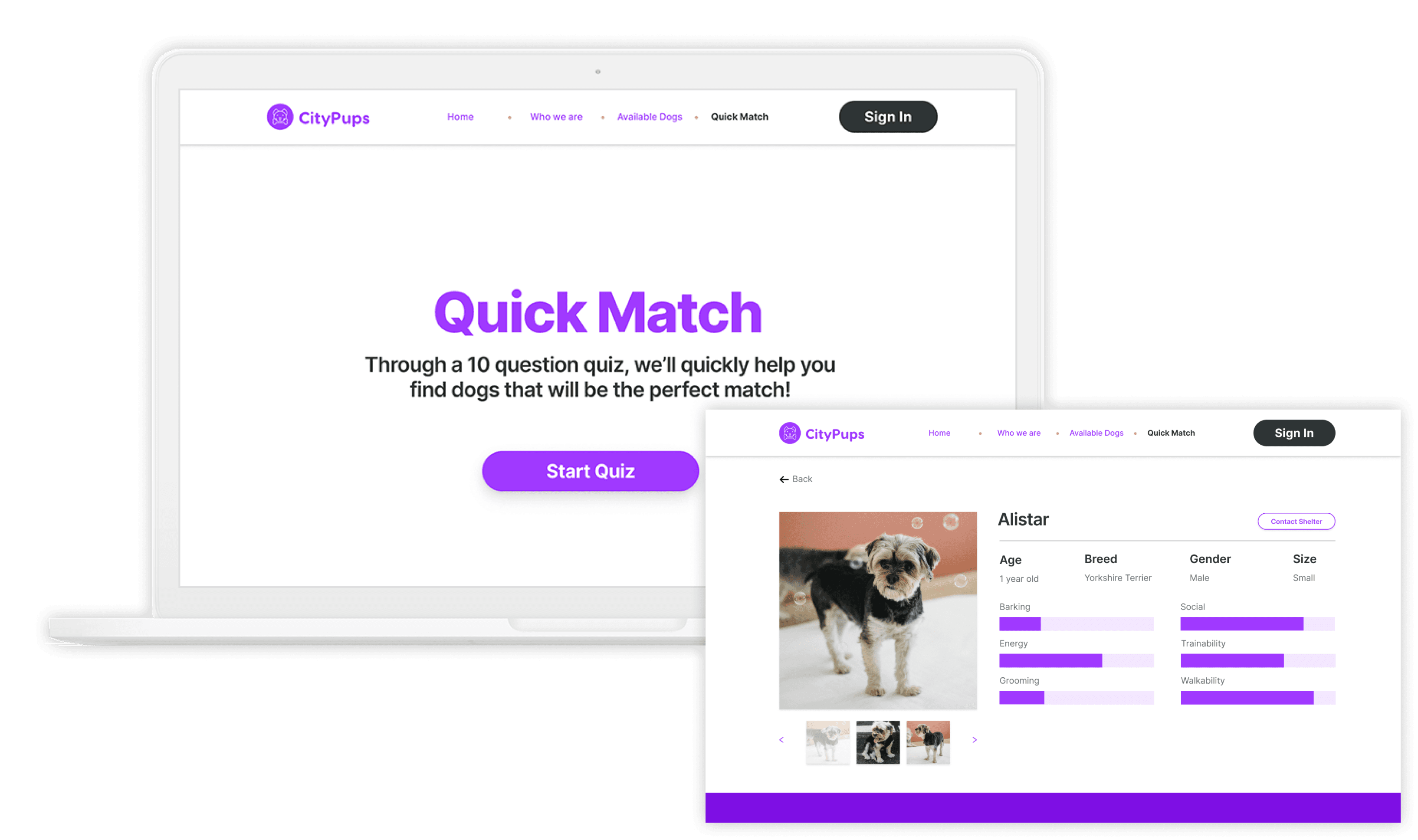
To address users’ needs to find dogs with specific requirements, the Quick Match feature was created. In just 10 short questions, Quick Match will provide a search that is geared to the users’ needs and preferences for what dog to adopt. After taking the quiz, Quick Match will narrow the results to the dogs that will satisfy the needs of the user and their living environment.
Design Constraints
Designed as a website
Aggregates adoption dogs from local organizations and shelters and users are sent to third party contact to start the process
Focus on helping users find the right dog to adopt instead of the process of actually adopting a dog and what comes after finding a dog to adopt
Business Goals
Increase the adoption rate
Happier Owners
Better “forever” homes for dogs
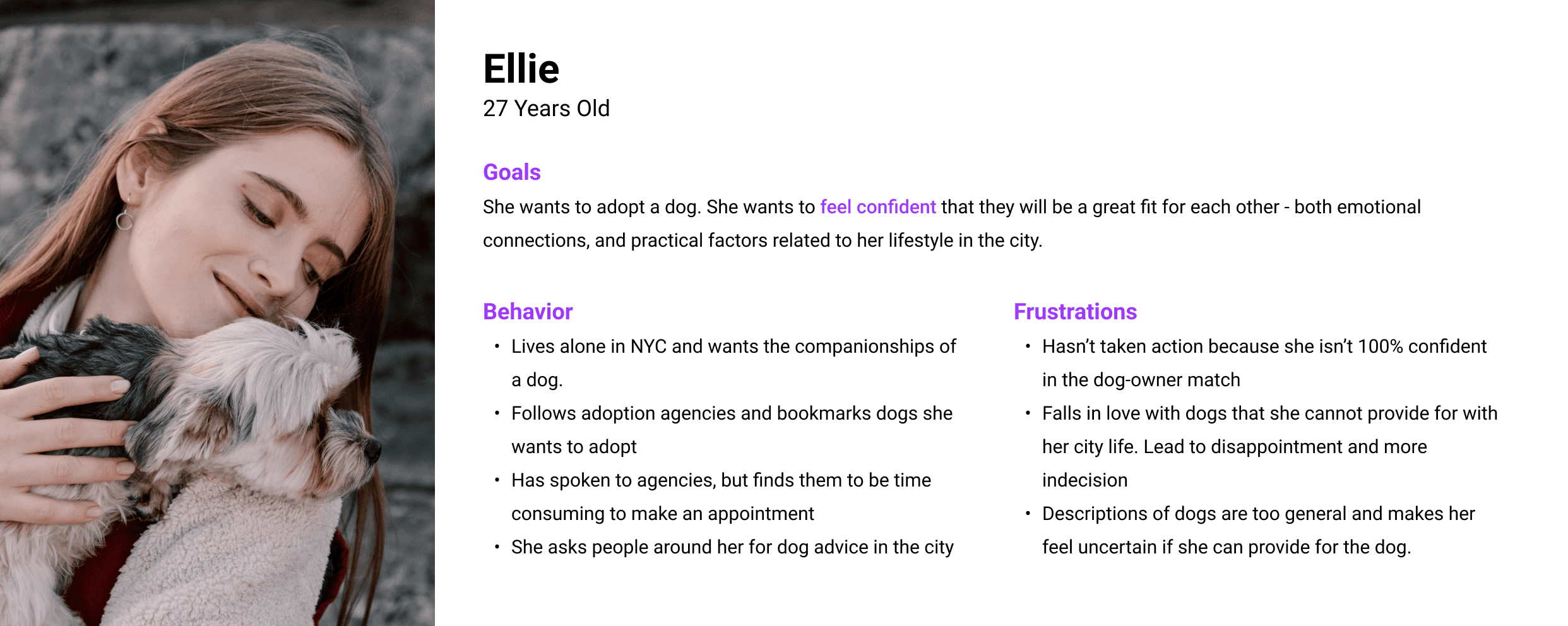
📝 Our Users
To address users’ needs to find dogs with specific requirements, the Quick Match feature was created. In just 10 short questions, Quick Match will provide a search that is geared to the users’ needs and preferences for what dog to adopt. After taking the quiz, Quick Match will narrow the results to the dogs that will satisfy the needs of the user and their living environment.
Key Insights
After looking and listening to the user research provided, these were the key insights I picked up:
The personality of the dog and ability to fit within a certain living space are huge factors in choosing a dog and are pain points in searching for the perfect dog.
Can it live in a small space? (usually an apartment in the city)
Is the dog good with other dogs? Is it good with other people?
Can the dog be left home alone for long periods of time?
Users want to know more about the dogs’ training as well.
Users don’t feel like there is sufficient information for dogs online.
Users don’t want to look at lots of different shelters and places while searching.
Experience Map
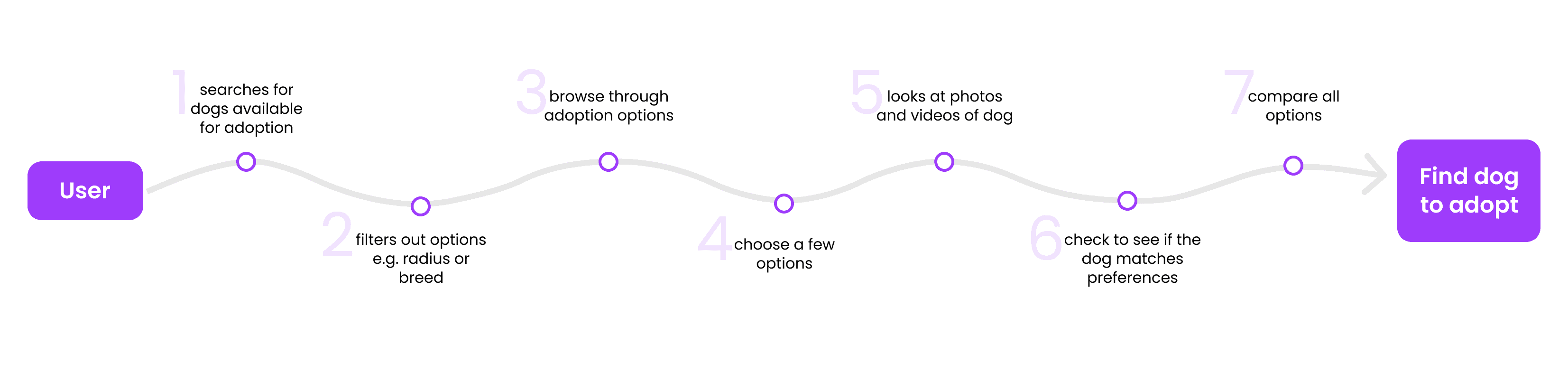
The following map is a potential end-to-end experience of a user choosing and finding a dog to adopt on CityPups. After finding a dog to adopt, the user will contact the shelter to continue with the adoption process.
Day 2
Sketching
Competitive Analysis
Before sketching out my own solutions, I did some competitive research on other dog adoption sites to see what they did well and how I could make improvements.
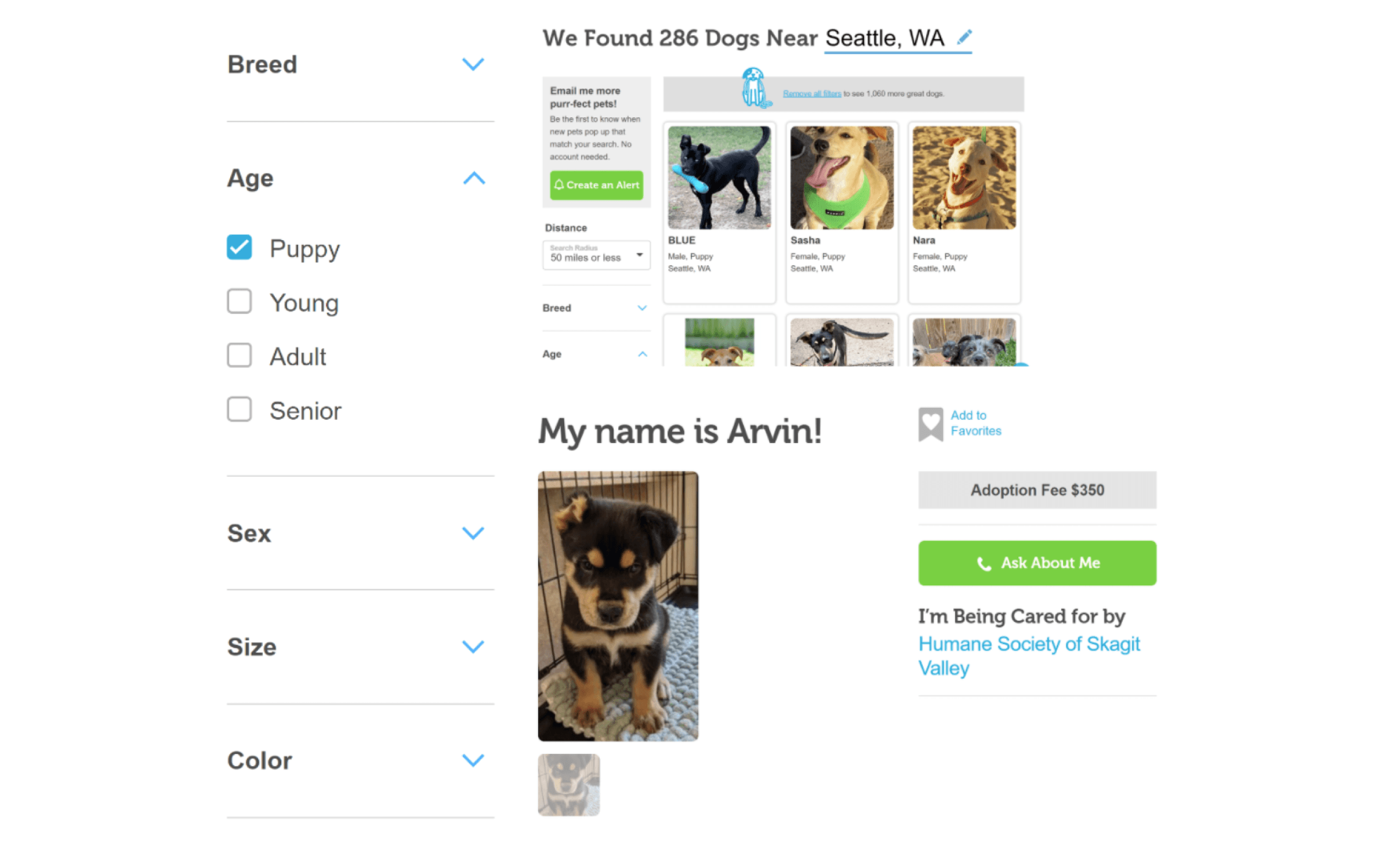
Adopt a Pet
The search and filter features are consistent with other websites and easy to use. Adopt a Pet also provides photos (although could have more) as well as the adoption fee.
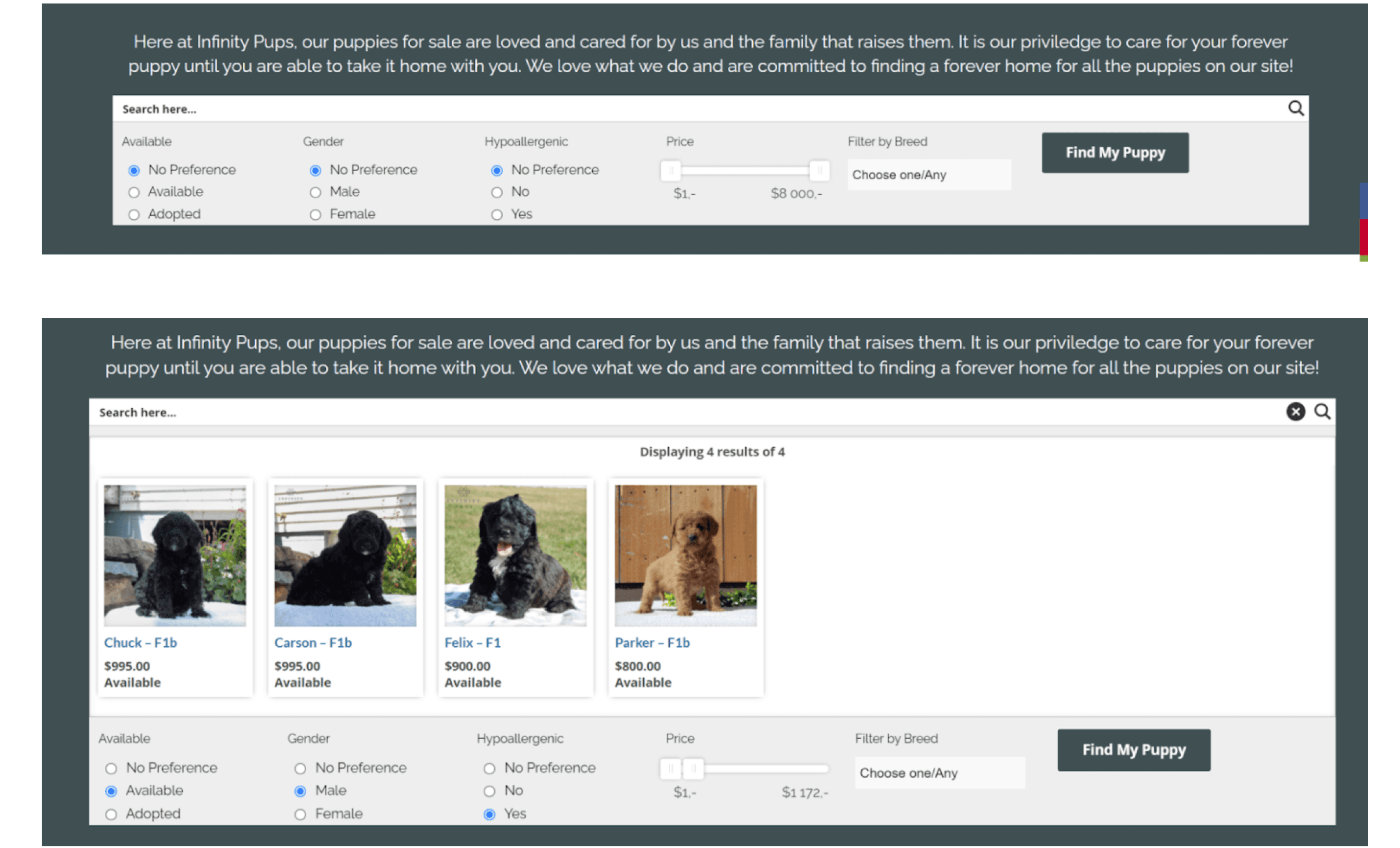
Infinity Pups
Infinity Pups makes it easy to find puppies that match a person’s preference but could have more filters to pinpoint the exact kind of dog a user is searching to match their lifestyle.
Sketches
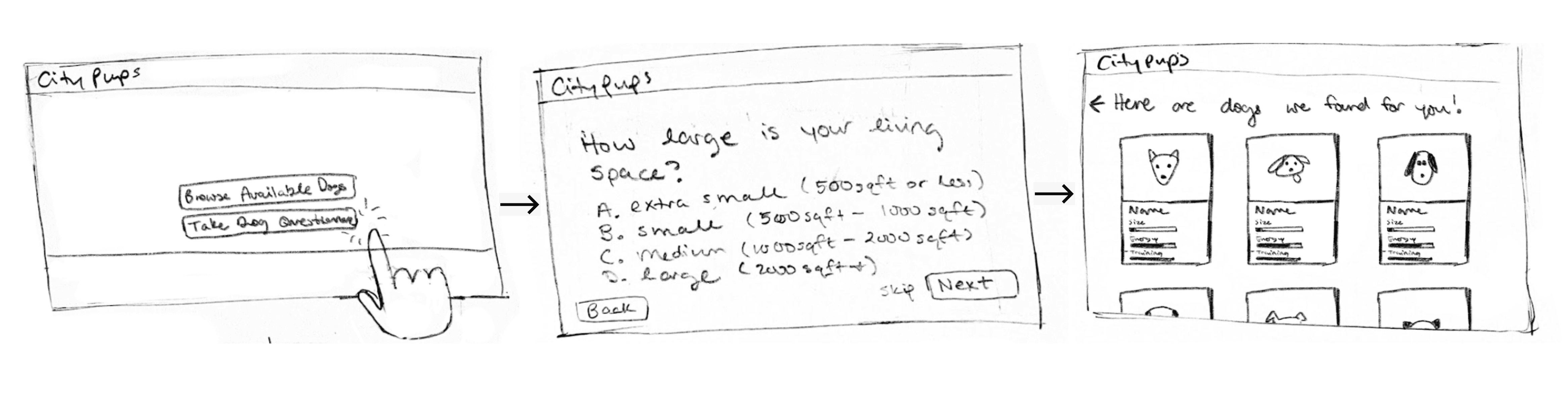
Sketching was done using the Crazy 8s method where I sketched out 8 ideas for the solution in 8 minutes. From here, I was able to decide which I found to be the most critical for user needs.
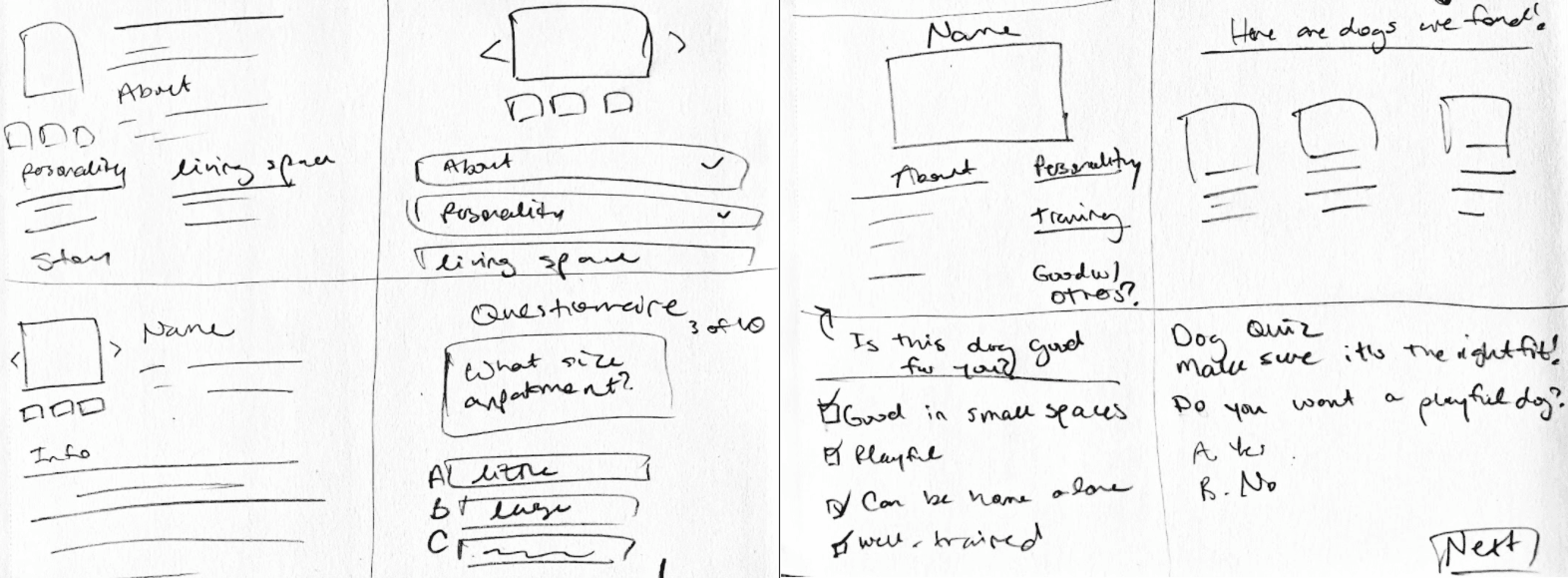
Solution Sketch
So then, I fleshed out the solution sketch built from the Crazy 8 session. The middle screen is the critical screen and the other screens are what comes before and after it. Users will be given a questionnaire at the beginning of the search process. It will provide a quick and efficient way for users to see what dogs match their preferences.
Day 3
Deciding
Going Forward
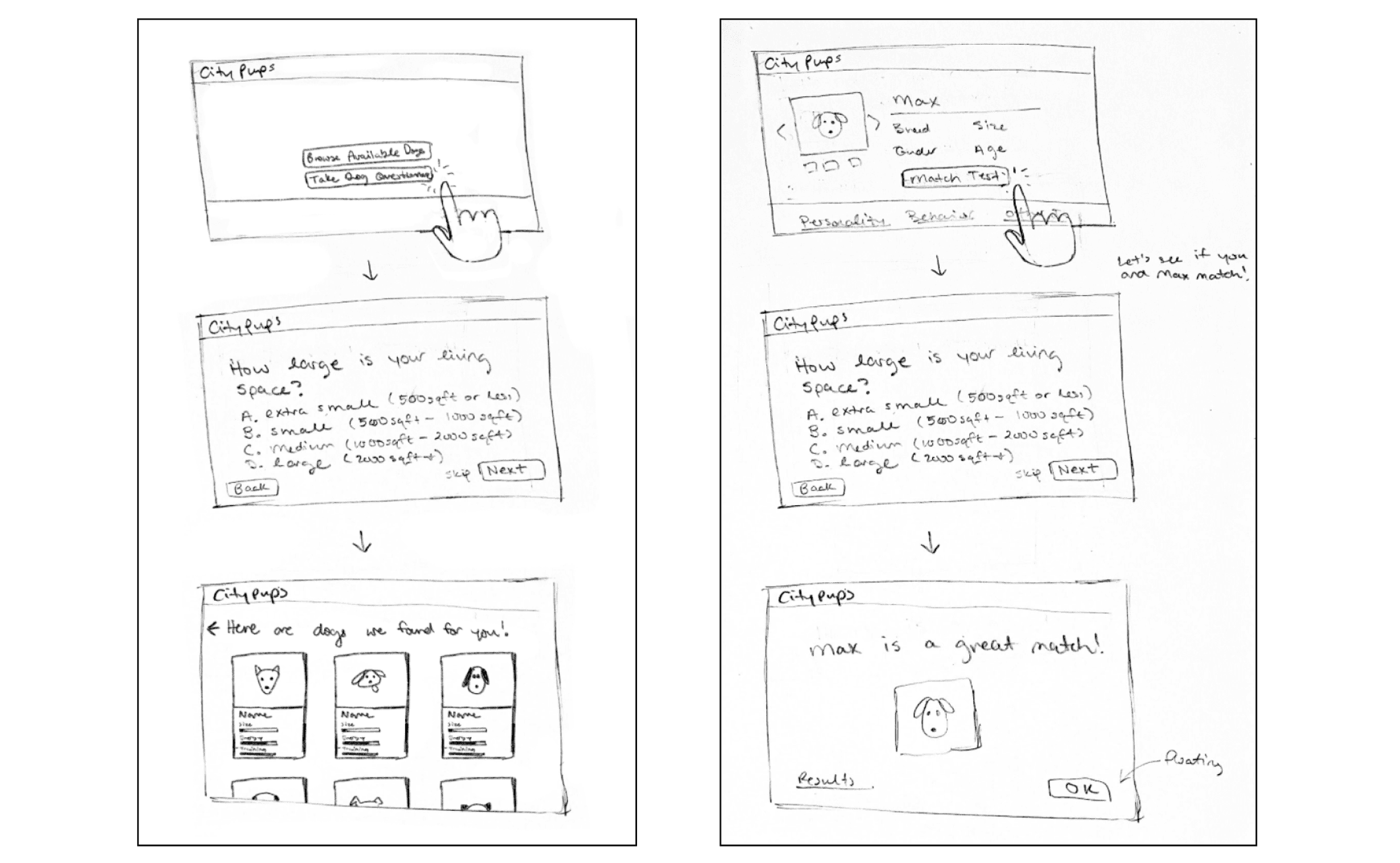
While creating solution sketches, I sketched out two different options. Both are questionnaires to help the user find a match with their dog, but the one on the left is at the beginning of the searching process while the second one is in the middle of the searching process. I decided to continue the design sprint with the first option. The first option allows more of a personalized experience right away and users can narrow down dogs that match preferences more efficiently.
Storyboard
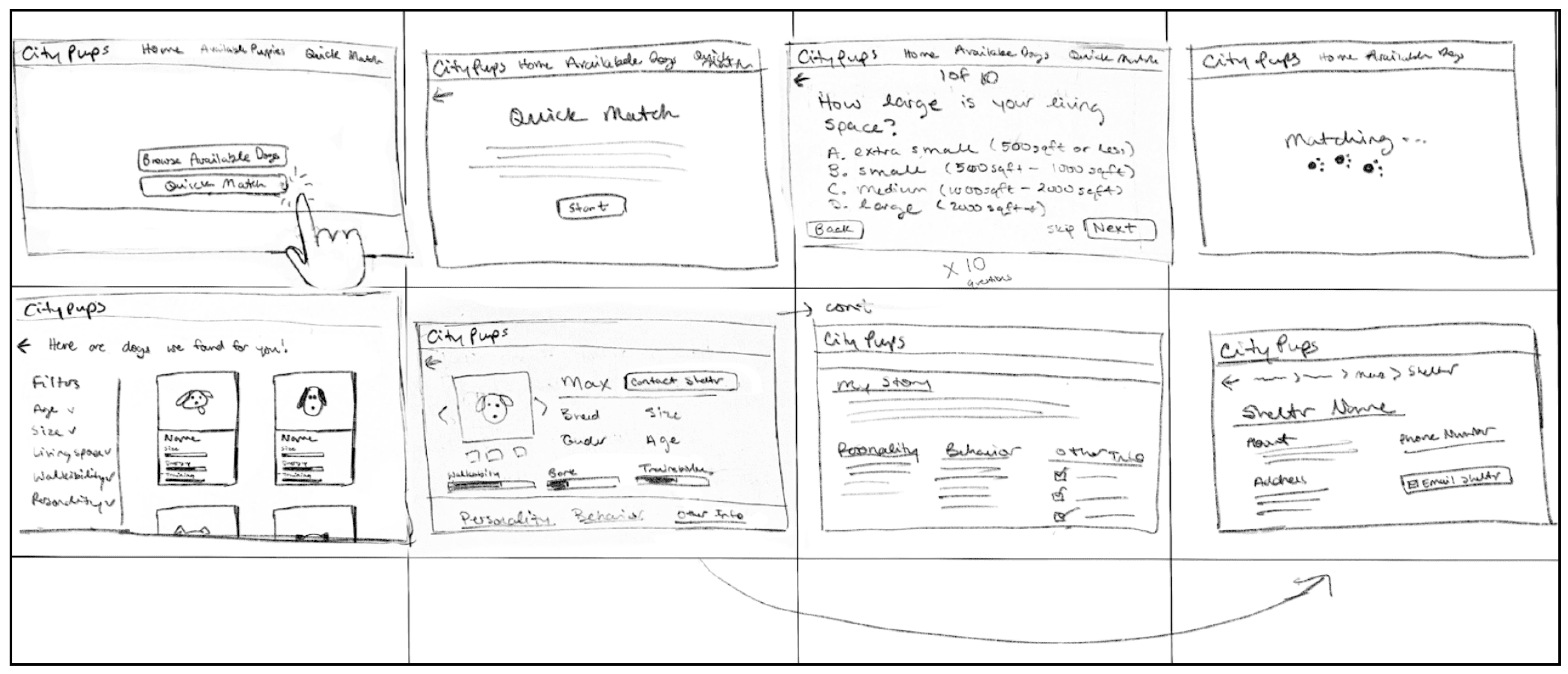
Continuing with the solution sketches, I created a storyboard for the step-by-step walkthrough of the Quick Match feature, finding a dog the user would like to adopt, and finding shelter information.
Day 4
Prototyping
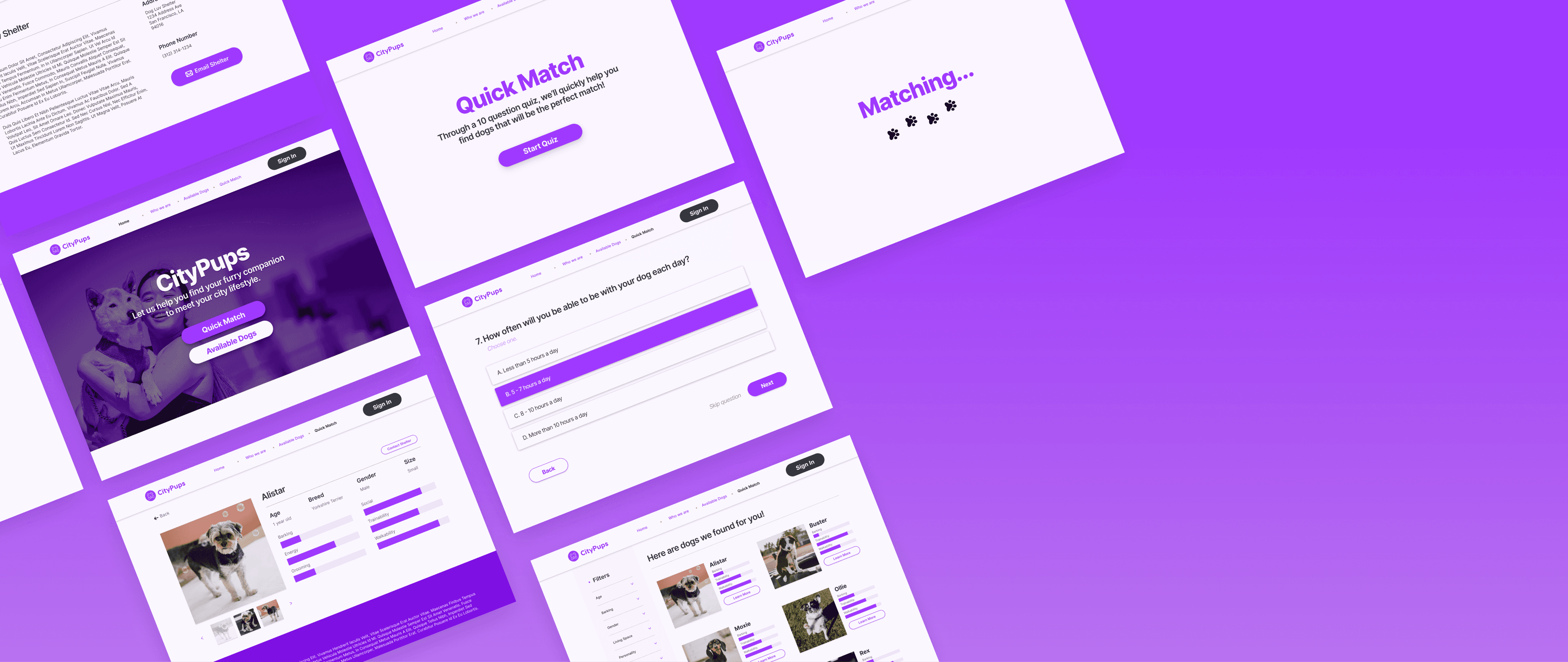
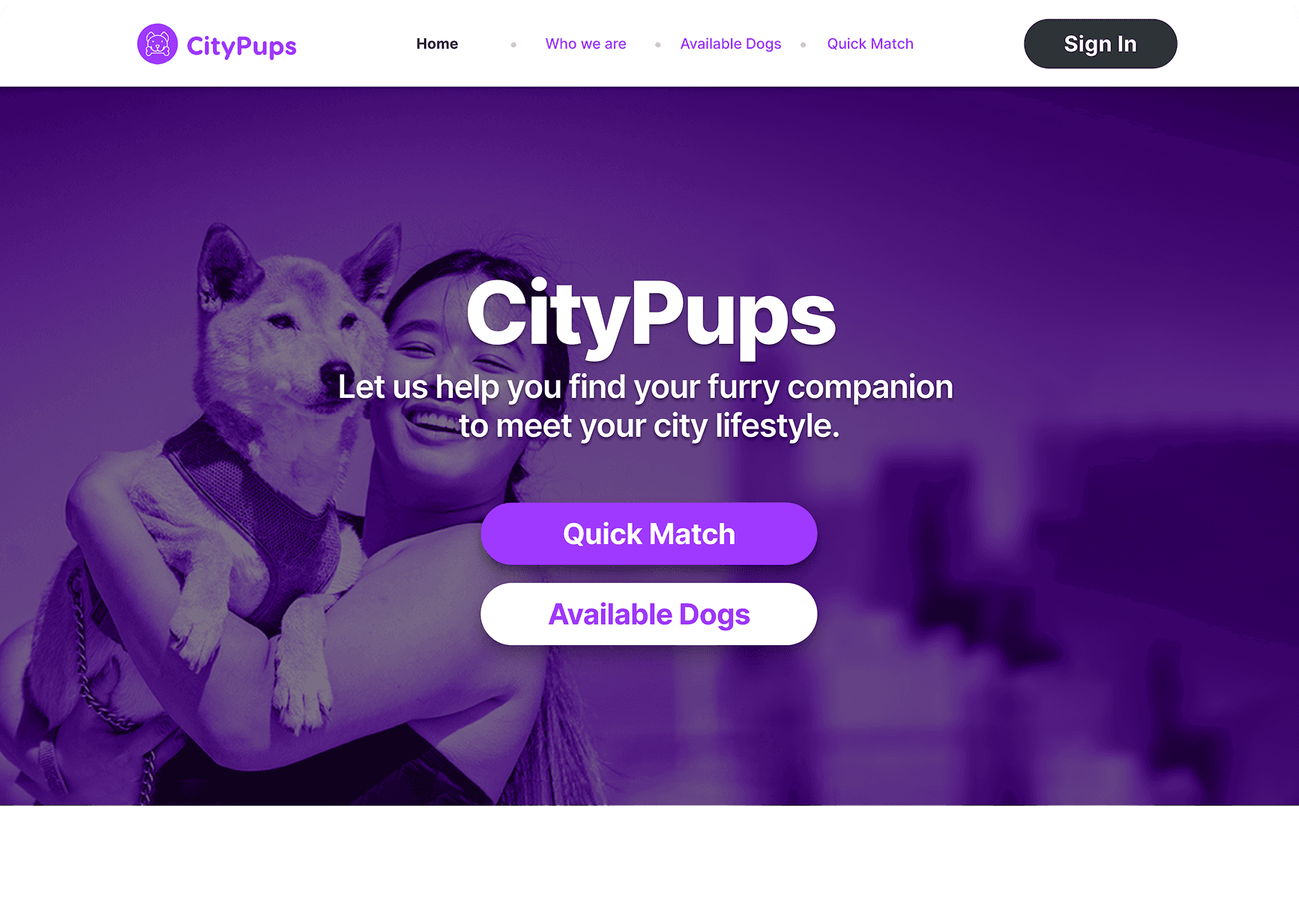
On day 4, I created a prototype with hi-fidelity screens for the CityPups website.
Screen 1
Home
When the user first opens CityPups, they will be greeted with a short sentence with what CityPups is and two main options from the home page. In this design sprint, we will be testing the “Quick Match” feature.
Screen 2
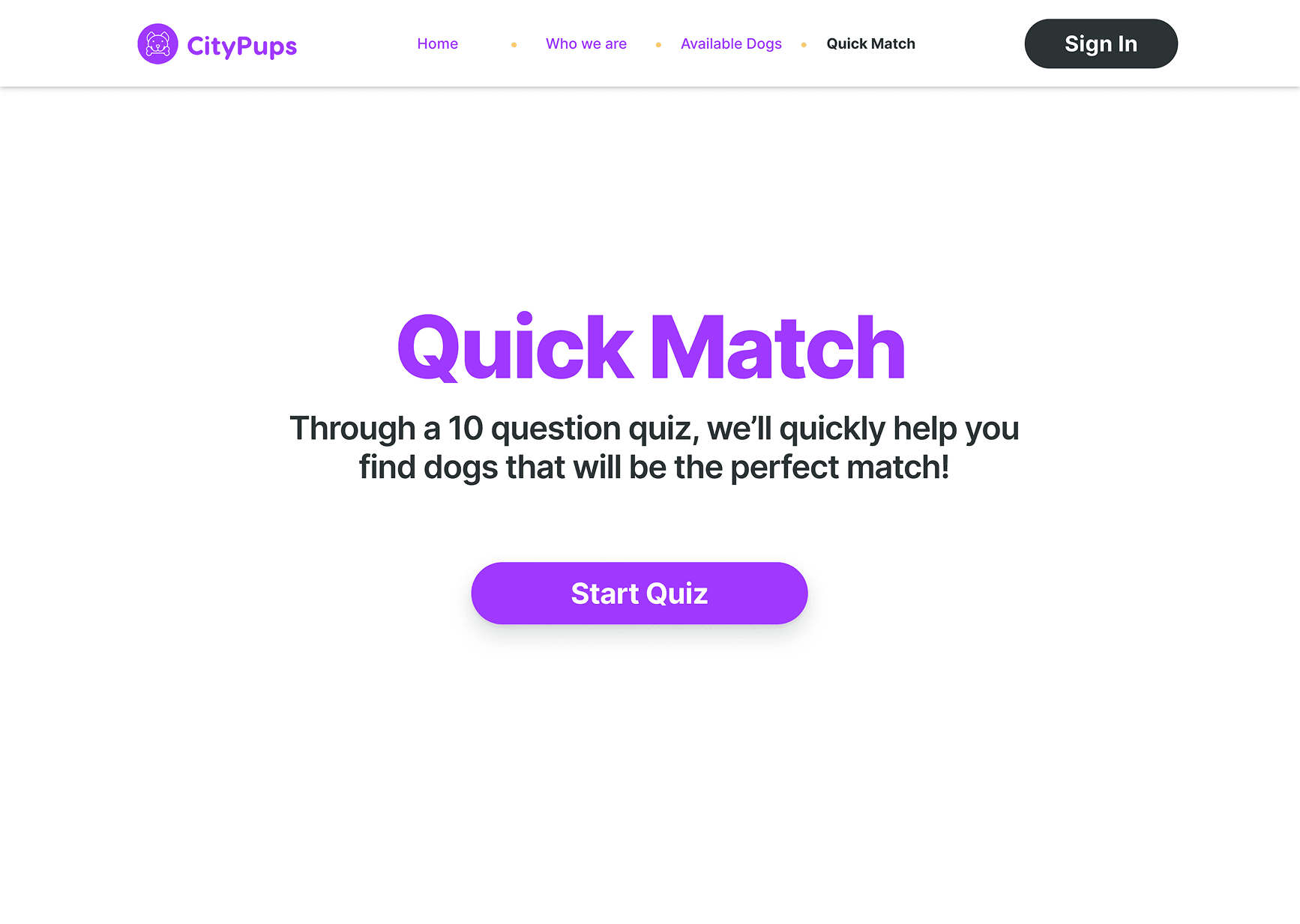
Quick Match Introduction
After clicking the “Quick Match” button from the previous screen, the user will be given a quick, one-sentence rundown of what Quick Match is and can start the quiz.
Screen 3
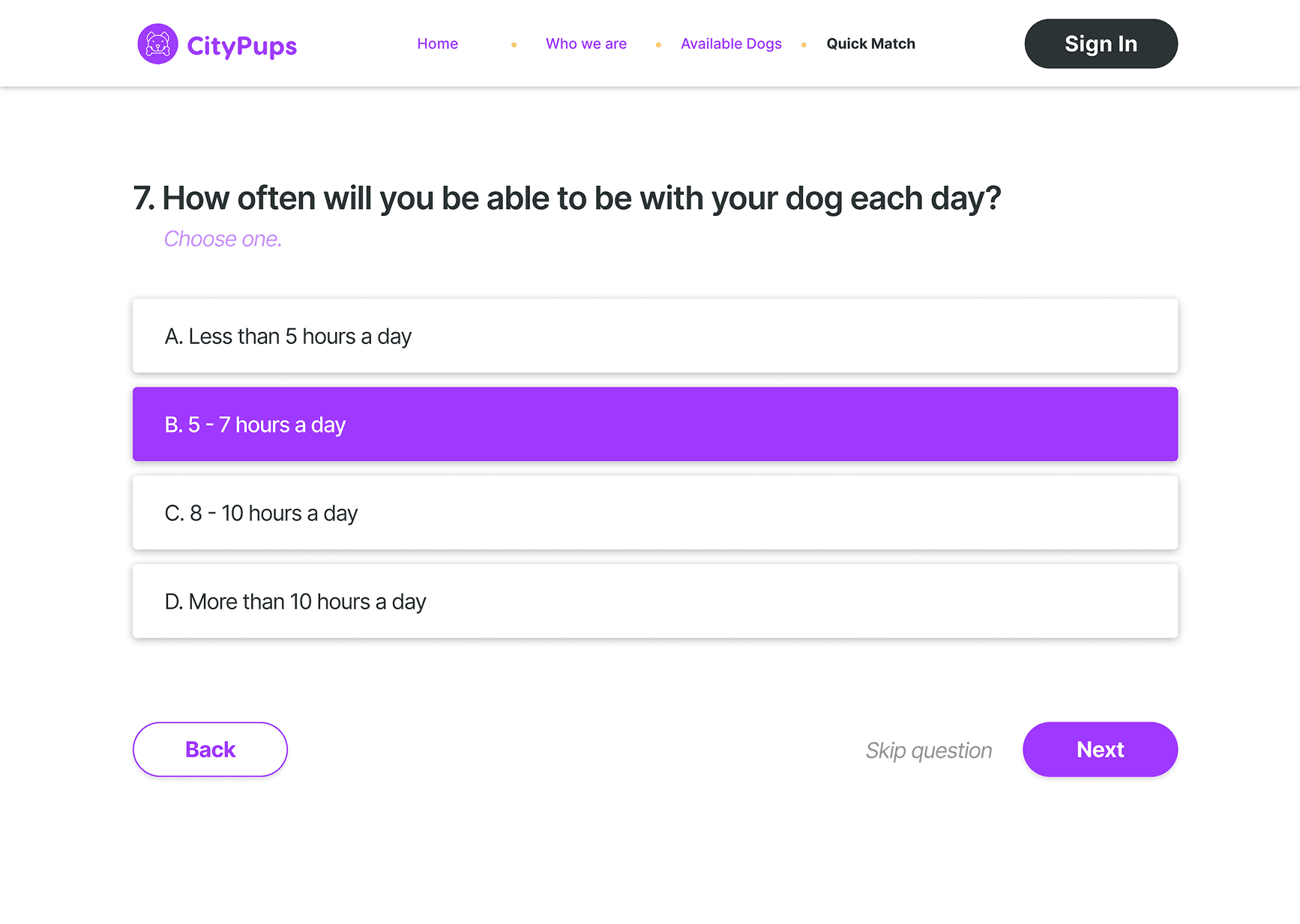
Questionnaire
The user will be asked a total of 10 short questions in the quiz. Questions consist of multiple-choice and “select all that apply” questions.
Screen 4
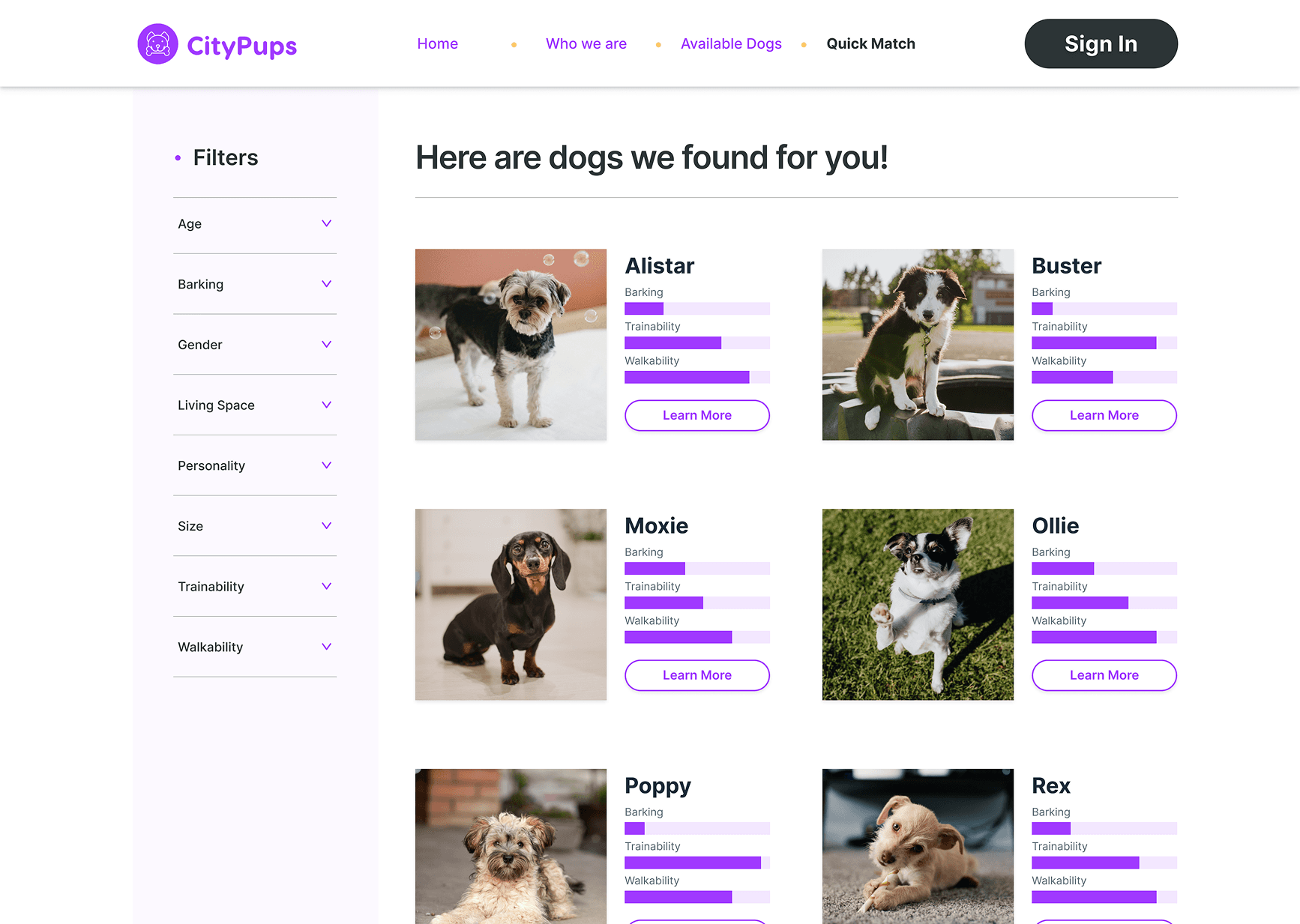
Results
This is the screen users will see once results are in. I decided to include bars to provide users an efficient way to see which dogs meet their requirements at first glance. The ability to edit filters (the questions they answered in the quiz) to provide the user more power and flexibility in searching.
Screen 5
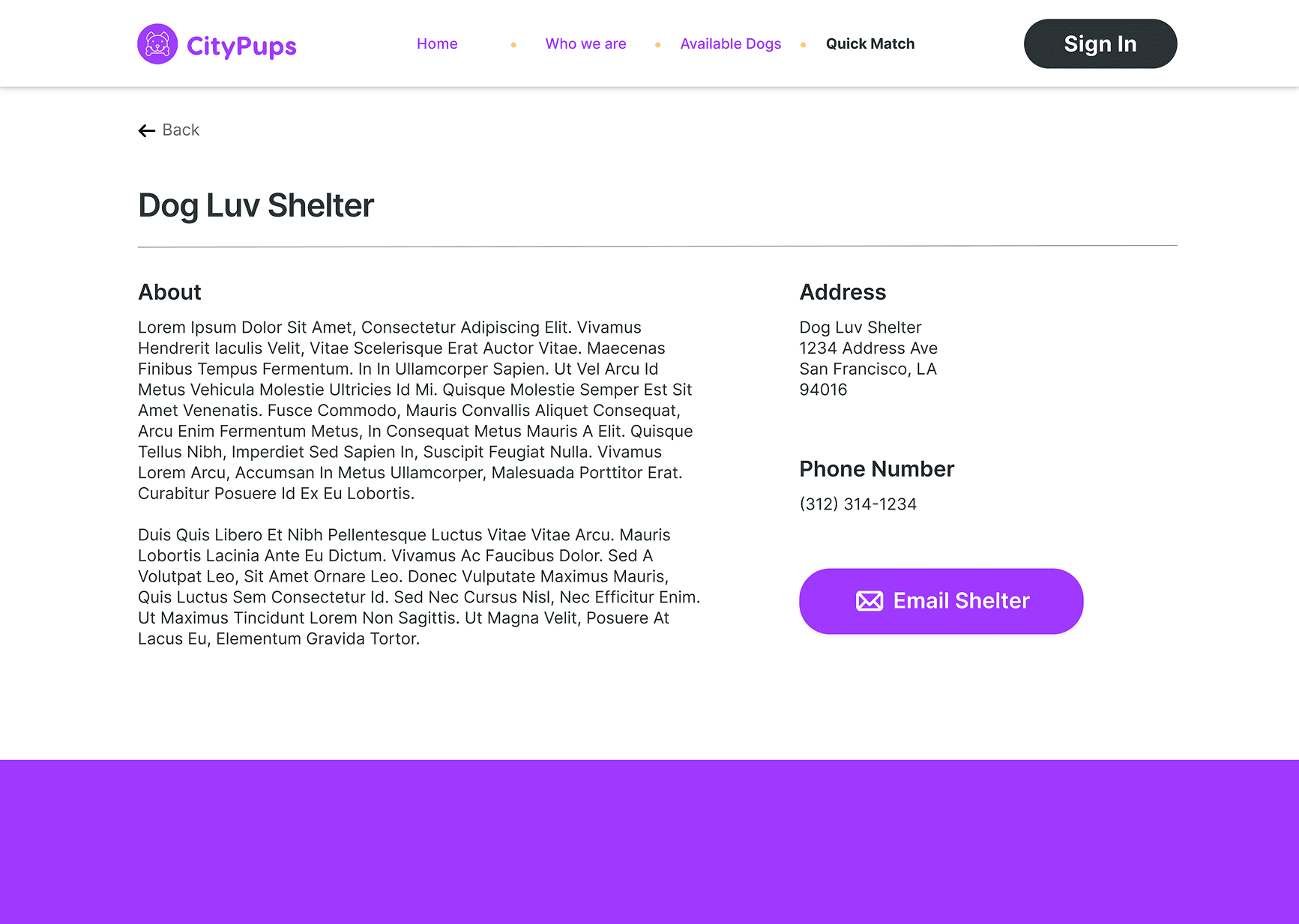
Shelter Contact
I also included access to the shelter’s story and contact information which can be accessed from the “Contact Seller” button from the previous screenshot.
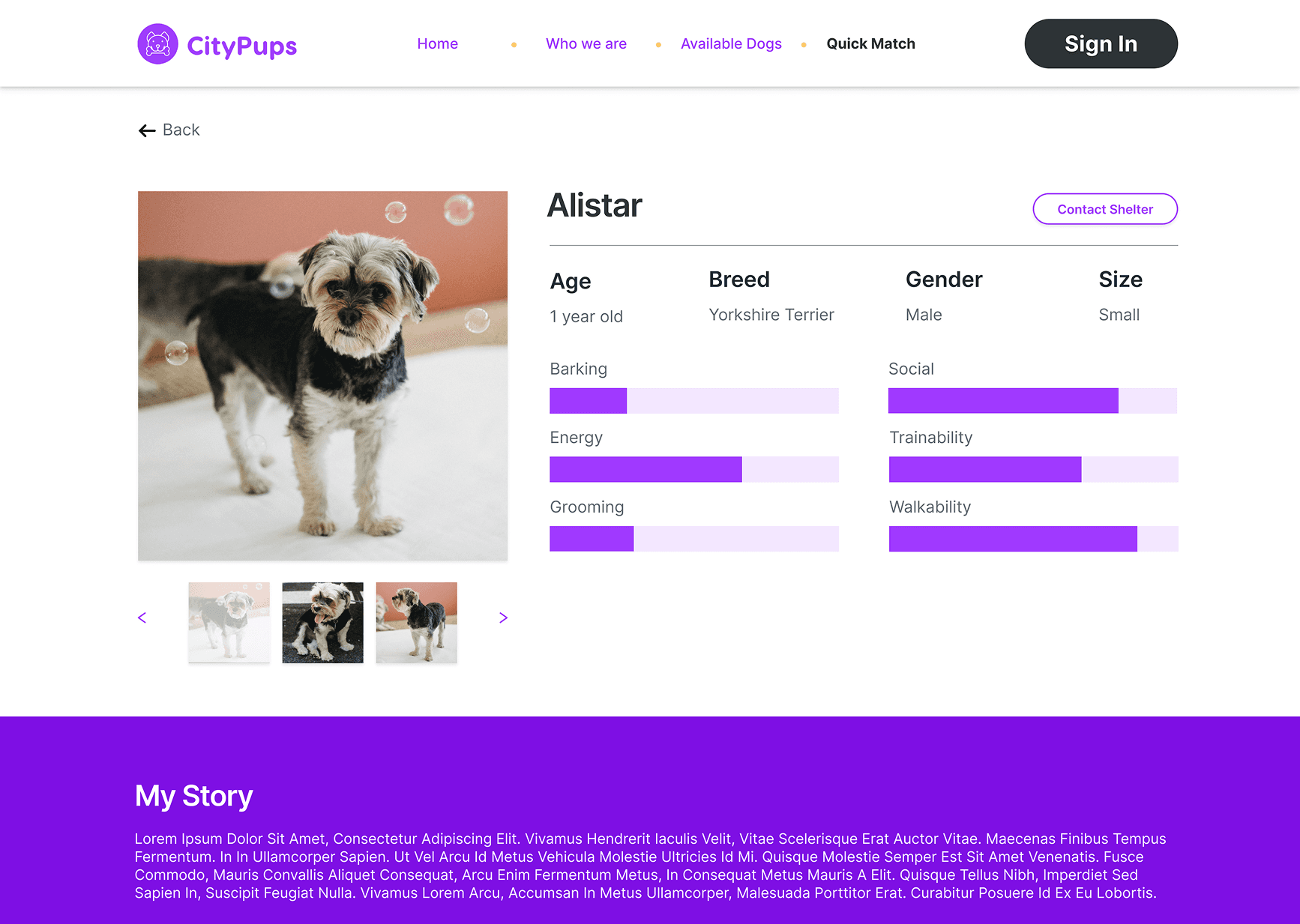
Screen 6
Dog Information
Once the user clicks “Learn More”, the user will be brought to a detailed page with information to learn more about the dog in question. From here, the user can decide if this dog is the perfect match and continue with the adoption process.
The Prototype
Day 5
Testing Day
Testing
It’s the final day! After finishing the prototypes, I recruited 5 participants to usability test the newly created Quick Match on CityPups Testers were given a total of three scenarios:
You want to quickly find dogs that match your preferences without browsing too much. What will you do?
You’ve finished taking the quiz, and you see Alistar matches what you had in mind for preferences. You want to learn more.
You want to move on to the adoption process, what will you do next?
Results
Overall, participants were able to complete the tasks and work through the Quick Match with ease and found it to be helpful and efficient in the adoption search process. There were a few requests from the users:
Finding 1
More Questions in the Quiz
A few of the participants wished for more questions addressing breed, behavior with specific animals, and dog grooming. This will help the user narrow down the perfect match even further.
Finding 2
Accessing more Information
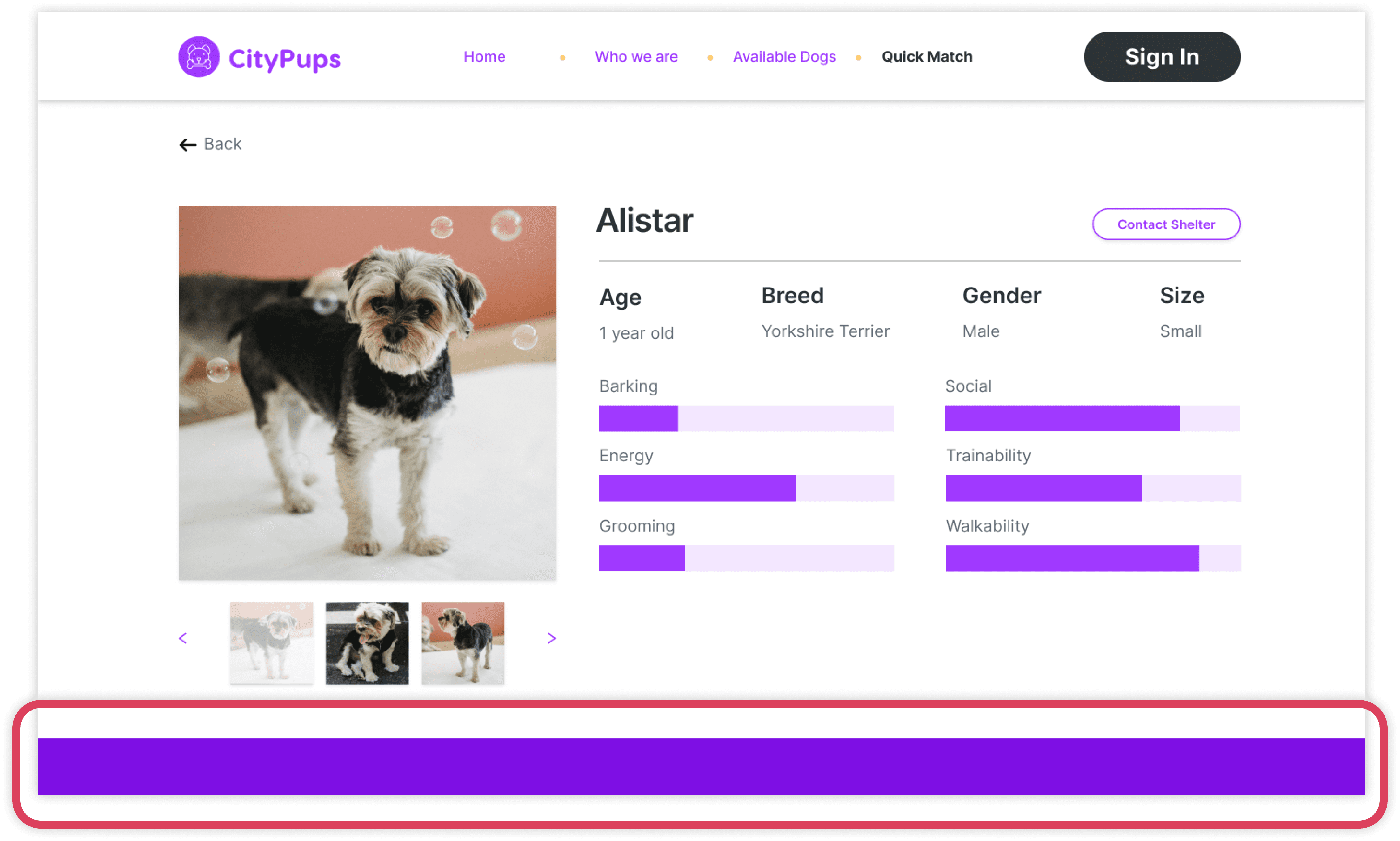
A few of the participants had difficulties accessing the dog information on the bottom half of the screen. Either the user didn’t realize they could scroll or thought it was the website footer.
Finding 3
Quantifiable Numbers
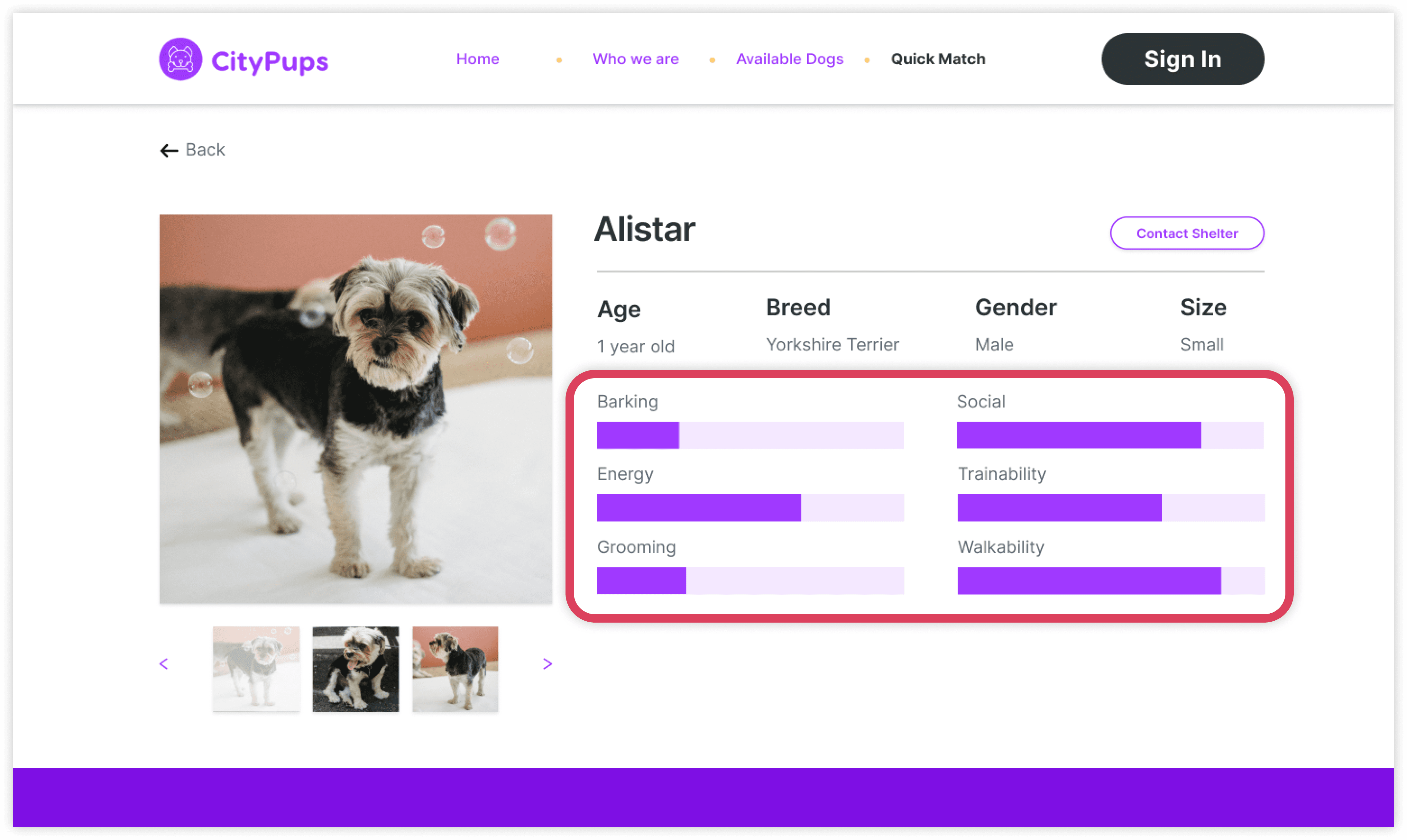
Two of the participants would like quantifiable numbers for the statistics of each dog rather than just the stand-alone bars. Adding those in will support memory and point of reference for each statistic.
Lessons
By the end of the design sprint, I was very satisfied to see something created in only a week. It was interesting and exciting seeing everything from sketches, wireframes, and prototypes come together in such a short period of time. I find that design sprints are a great way to quickly test if a feature would work, and I look forward to doing more in the future.
makaylamchen@gmail.com