Project Role
User Research
UI & UX Design
type
Mobile App
tools
Figma
Miro
🎯 The Challenge
Finding a simpler way to help users stay focused and motivated
Procrastination affects various types of people of all ages. A total of 95% of people admit that they push off work. Due to procrastination, productivity levels and overall satisfaction in work are reduced. There have been various attempts at creating an app to solve procrastination habits, but they are found to be convoluted or confusing.
📝 the solution
Creating a minimal, user-centered app for smarter task organization
Fantasktic provides an easy and quick way to upkeep tasks, set deadlines, and set aside time to do those tasks. Users will also be reminded of what tasks still need to be finished during their most productive time of the day. The app is simplistic but gets the job done.
Understanding Users Through Research
User Interviews
Before diving further into the brainstorming process, I wanted to learn more about users through user interviews and talk about personal experiences. All user interviews were done remotely through Zoom meetings.
What Users are Saying
“I always underestimate the amount of time it takes to me complete what I need to do.”
“I feel like the quality of my work could be better if I could stop myself from procrastinating.”
Affinity Maps
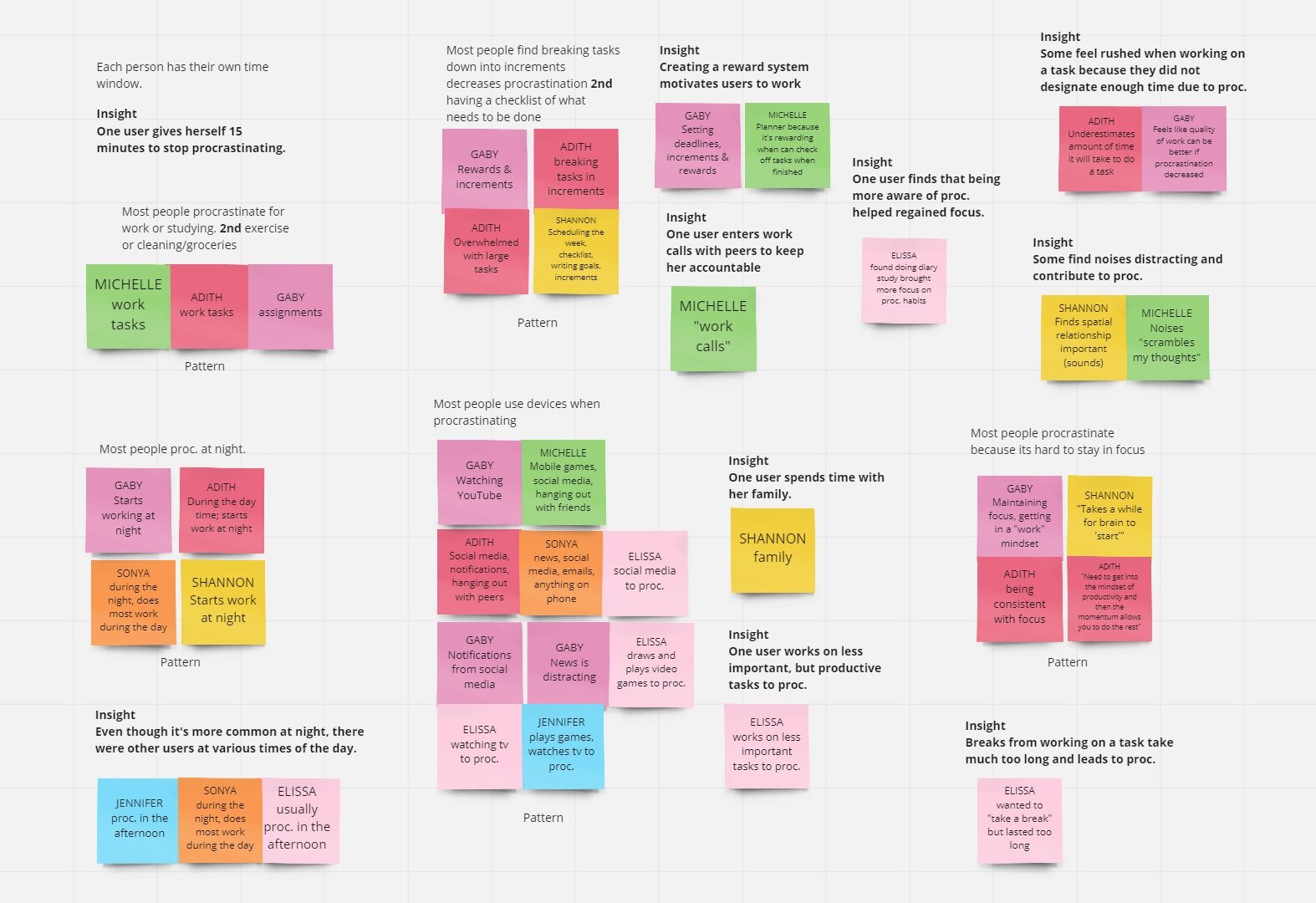
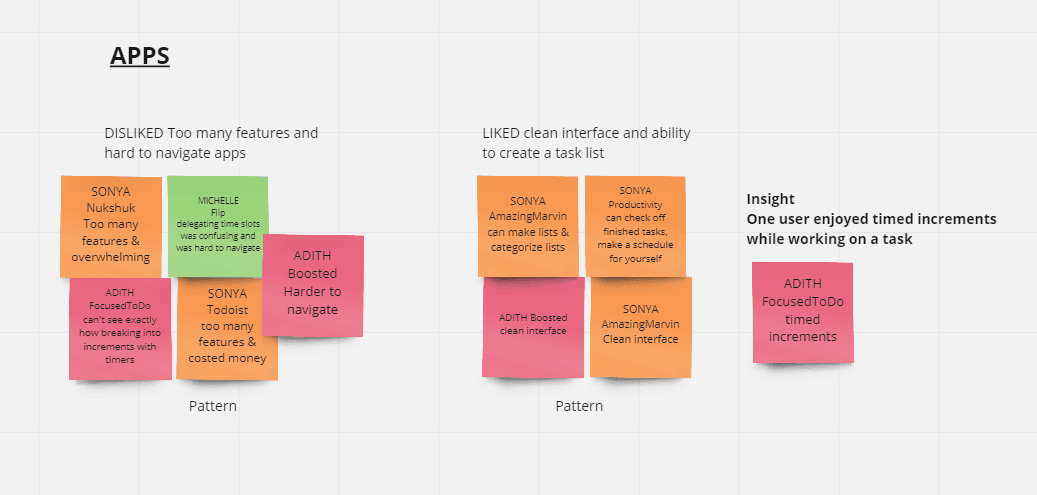
With all interviews done and data collected, the following affinity maps were created to discover patterns and insights of user struggles with procrastination. An additional affinity map was also included to show what has been attempted by other apps to reduce procrastination in the past.
Empathy Map
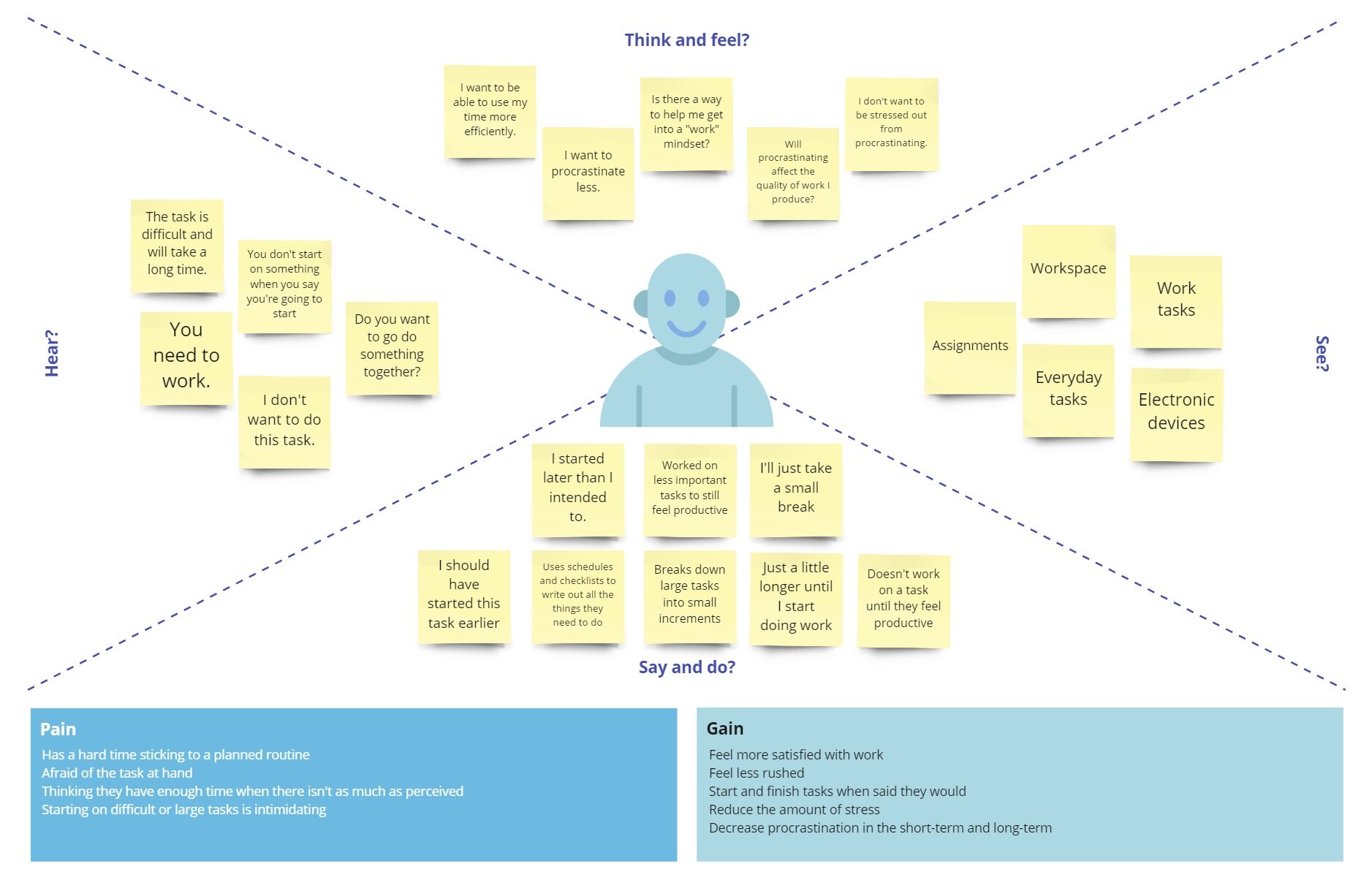
After gathering information from the user interview in the user research, I created this empathy map to get a closer look at how the target users, think, feel, see, hear, say, and do when they procrastinate. By creating this map I’m able to really empathize with the user and pull key pain points and gain points they have.
Key Pain Points
Hard to stick to a planned routine
Afraid of the task at hand
Starting on a difficult or large task is intimidating
Key Gain Points
Feel more satisfied with work
Start and finish tasks when they said they would
Reduce the amount of stress
Decrease procrastination in the short-term and long-term
After knowing what our users need, I started brainstorming what features would be best for Fantasktic.
The features I decided to include in the app include:
Giving users the ability to create tasks to remember what they need to do
Marking tasks as complete to know what’s finished and what still needs to be completed
Breaking down tasks into smaller tasks to make tasks less intimidating
Setting deadlines to finish tasks on time
Persona
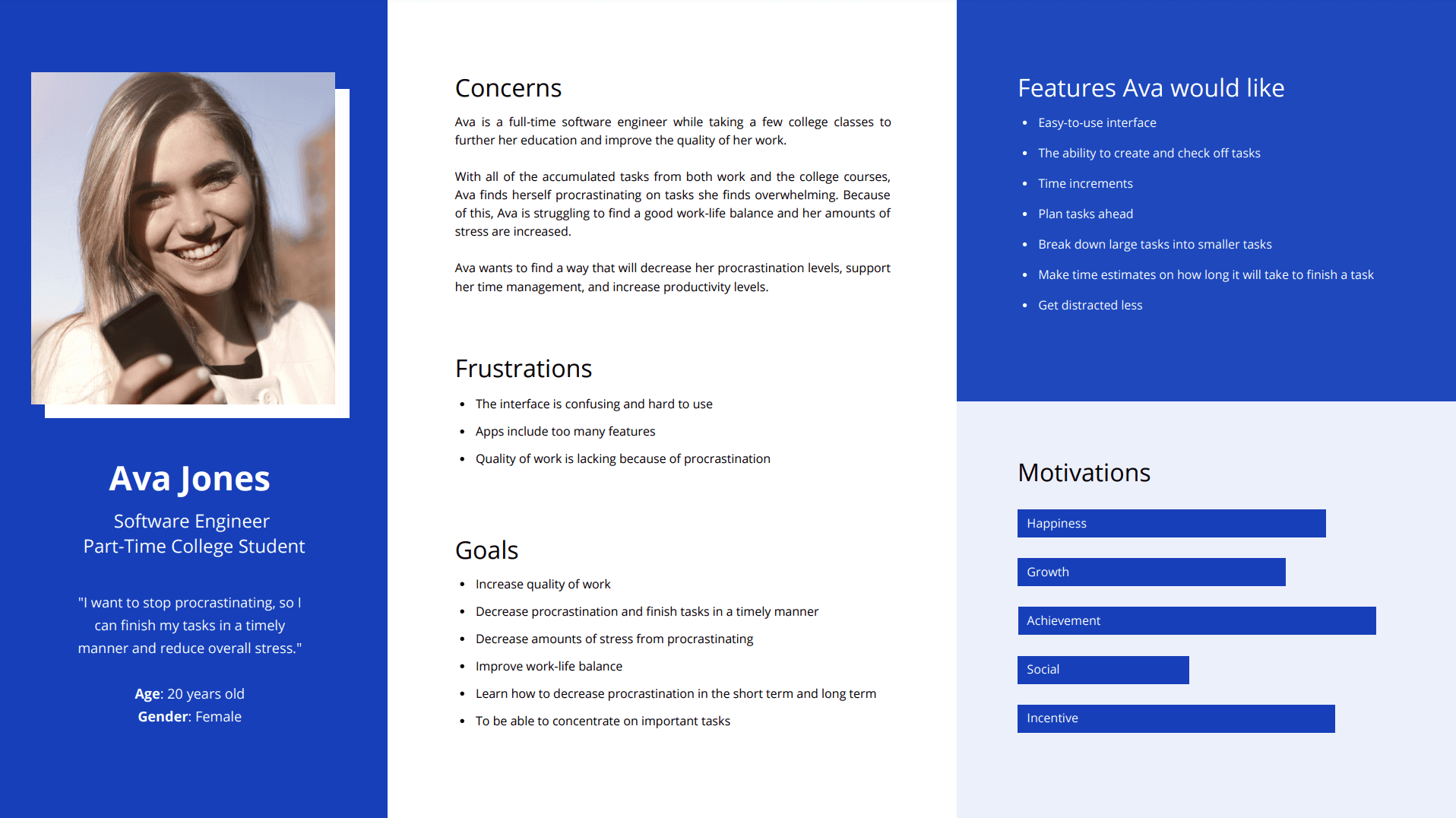
Thanks to the empathy map, I was able to create a persona to provide a snapshot of a user who would use Fantasktic. As a person who is busy juggling many events in their life, tasks can begin to pile up, and the likelihood of procrastination increases.
Ava is an example of a person who is struggling to find a good balance between all of her classes and work. Her fear of failure and mental exhaustion become demotivators for her and cause her to procrastinate and decrease her quality of work.
Design & Ideate
User Flows
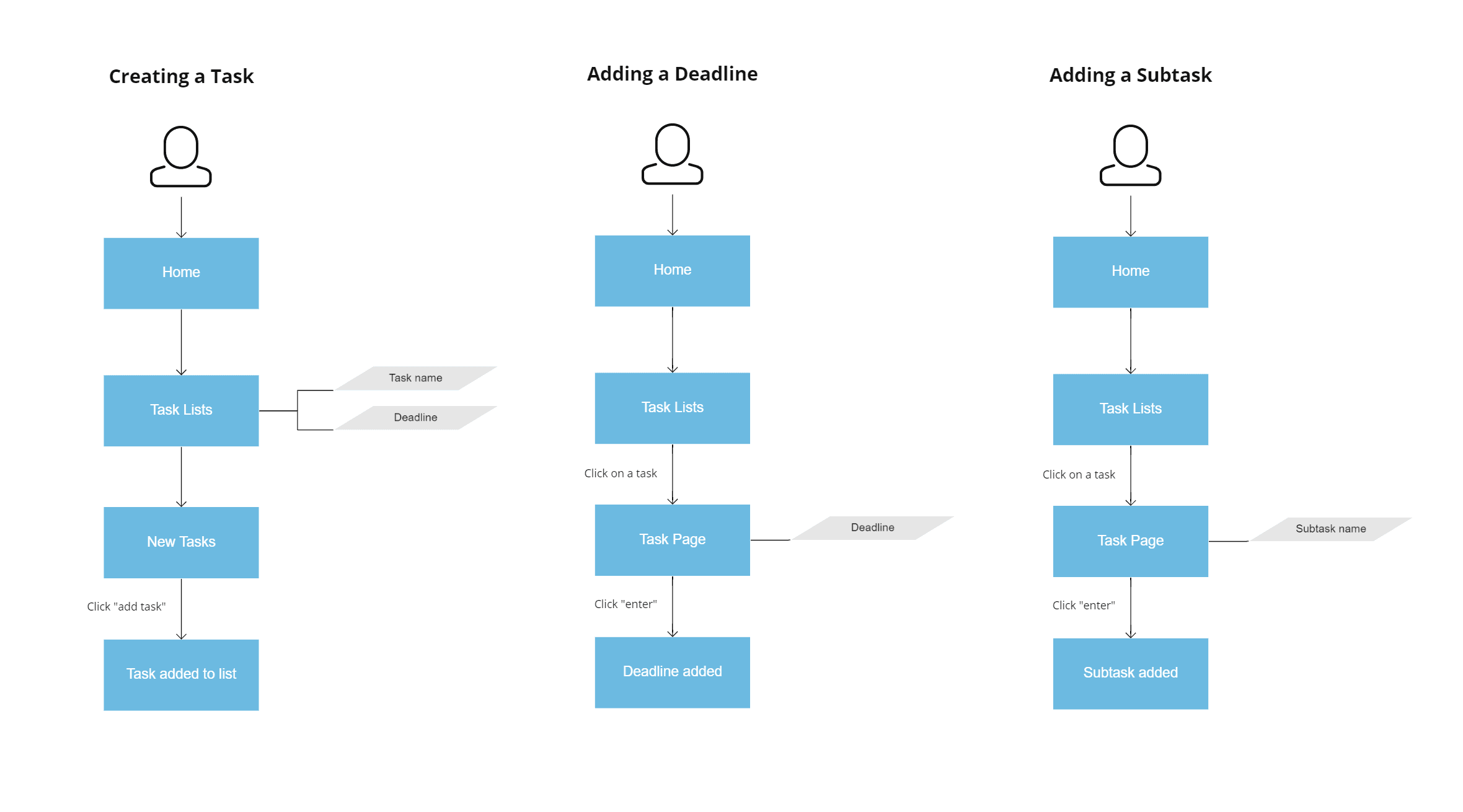
After choosing the features that will be included with the Fantasktic app, I mapped out the user flows. These flows include creating a task, adding a deadline, and adding a subtask.
Sketches
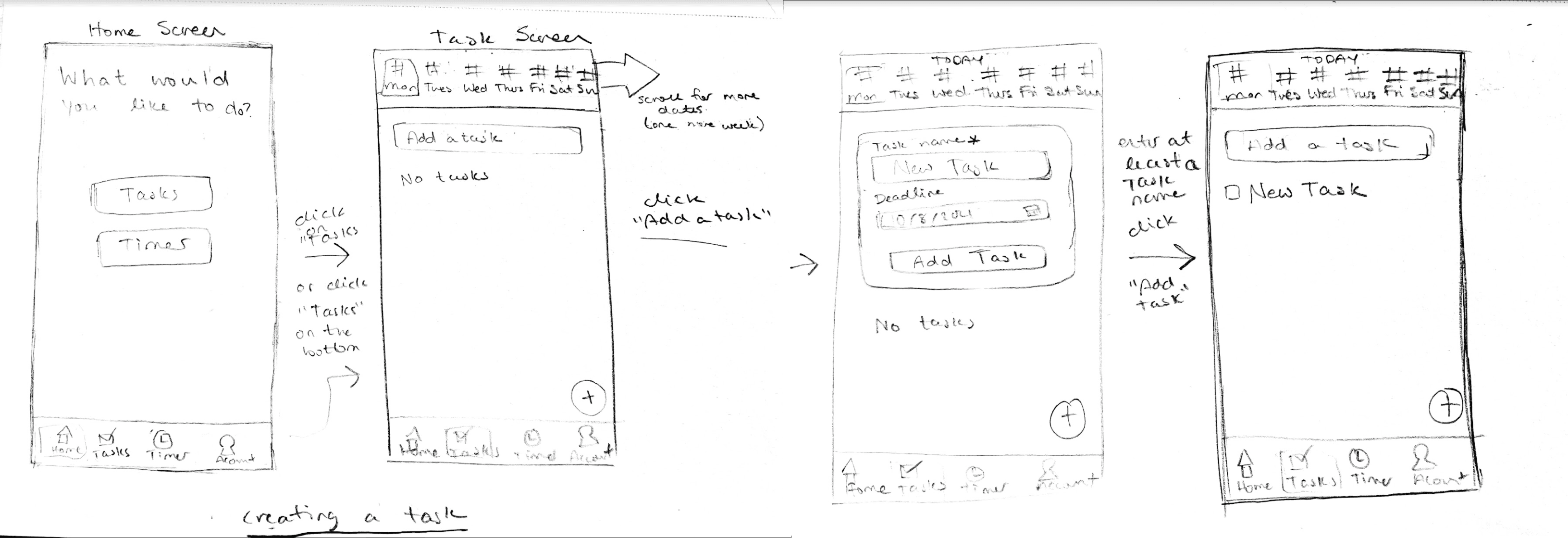
After knowing how a user will fulfill each feature, I sketched out some screens of a user navigating through Fantasktic.
Edit a Task
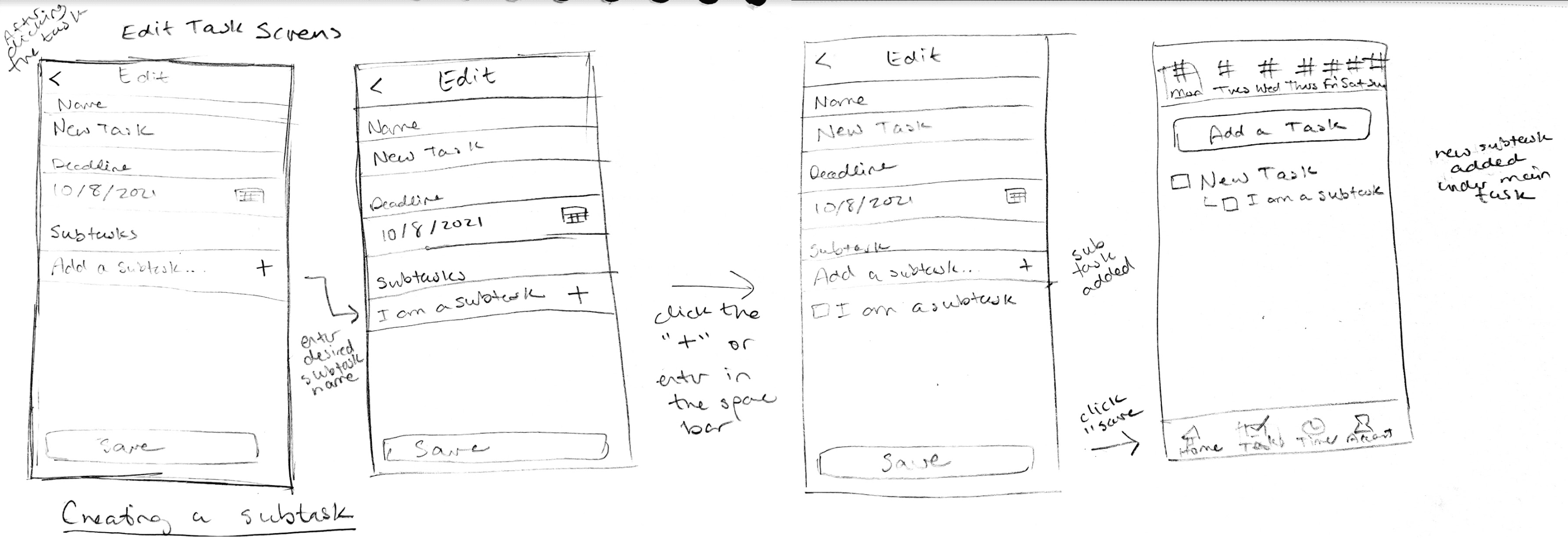
Create a task
Guerilla Testing with Sketches
The sketches were used to do guerilla testing in Marvel POP before starting the wireframing. Five participants were asked to fulfill predetermined tasks and then provide any input. After guerilla testing, the following changes were made:
The “Add Task” button at the top of the screen was removed. Users preferred a single button and liked the floating “+” button in the bottom right.
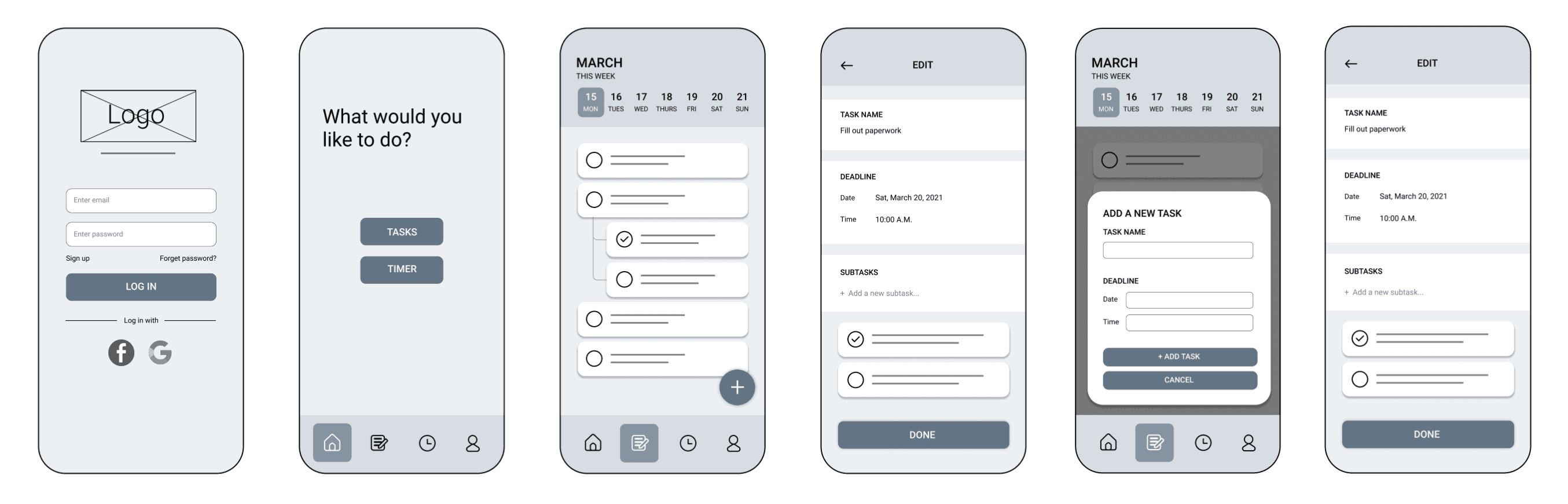
A time input was included in the deadline area for a more precise deadline.
The wording of the “Save” button changed to “Done”. The word “save” was thought to save the progress on the current screen and the user would remain on this page.
Wireframes
With the sketches completed, the next step was to create wireframes for Fantasktic screens with the iterations from guerilla testing.
Visual Design
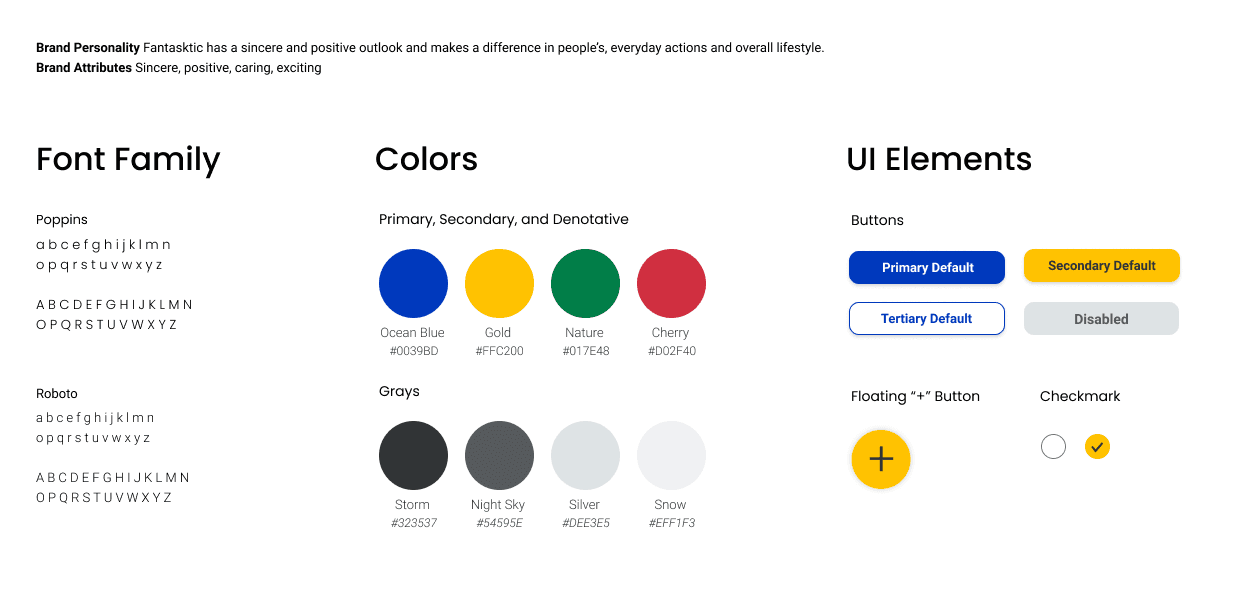
With the wireframes laid out, it was time to dive deeper into the details of the design and brand of Fantasktic. Fantasktic’s goal is to make people feel good and excited about their accomplishments. With the help of a mood board, blues and yellows were chosen to provide positivity to the users.
Prototype & Usability Testing
Testing High-Fidelity Screens
It’s the big moment and time to do usability testing to see if we matched the users’ needs. The prototype went through two rounds of testing. Five participants were recruited for each round. Testers were given a total of five tasks:
Login
Create a task
Add a deadline to a task
Add a subtask to a task
Mark a task as complete
All participants were able to complete all tasks, but there were two prominent findings from testing that could improve the user experience:
Finding 1
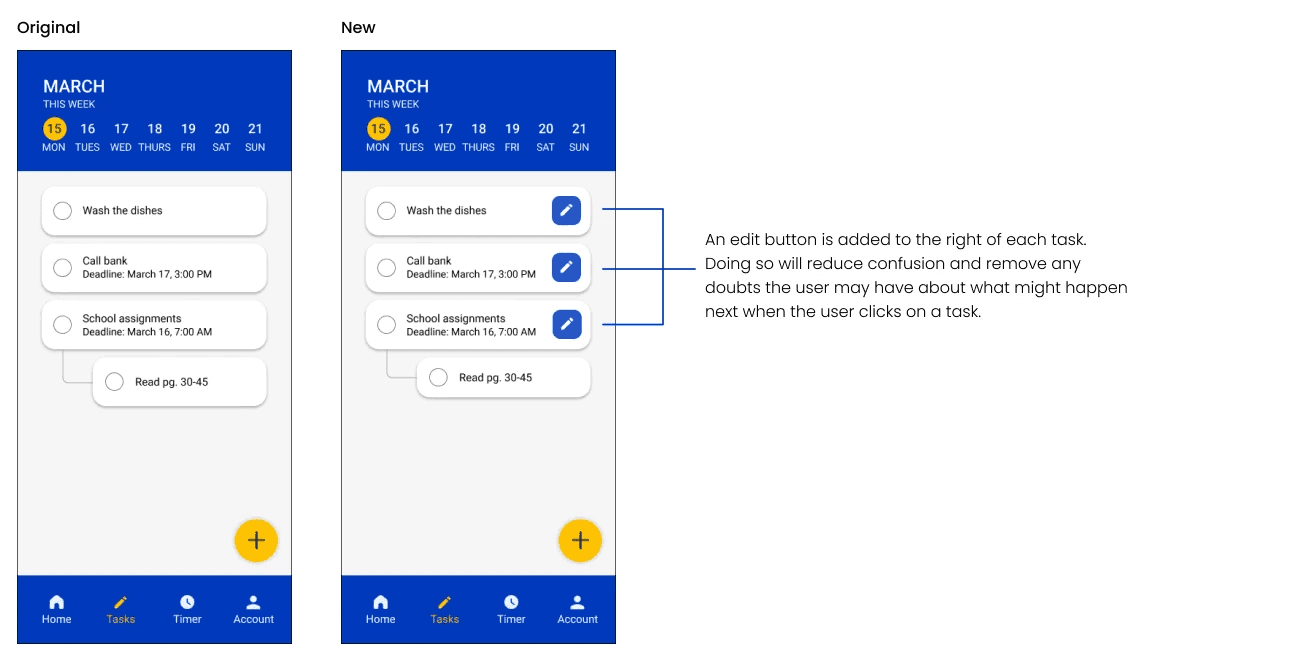
Accessing the Edit Screen
After testing, one user had difficulties accessing the edit screen for each task. Originally, the user would need to click on the white space of each task to be able to edit a task and its deadline. Many users also mentioned that without any indicator, it could be confusing if clicking a task led to an additional page or if it would mark the task as complete.
Finding 2
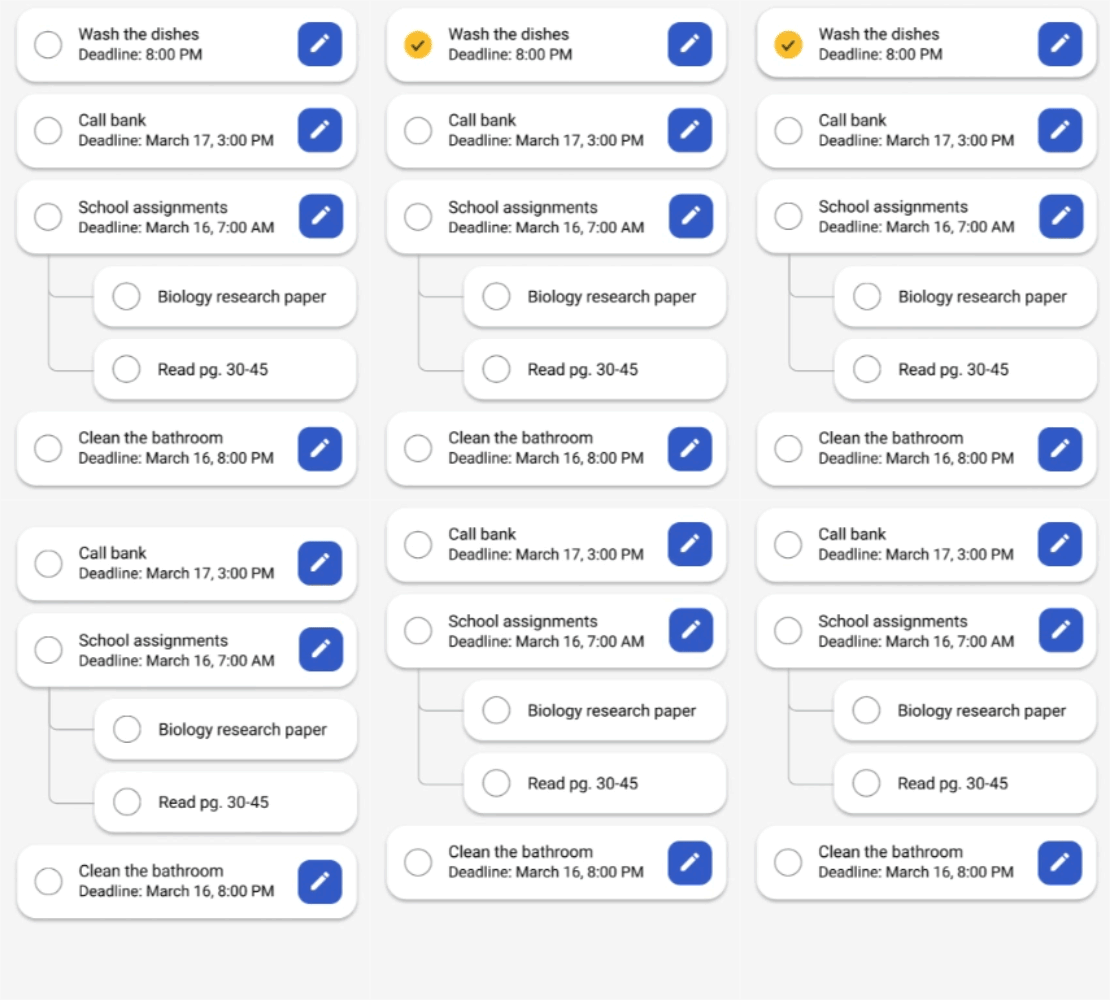
Marking a Task as Complete
Many users enjoyed and found it “satisfying” to mark the task as finished, but would like the task to disappear, so they could focus on the tasks that still need to be done.
To do this, an animation was created to make the task disappear once it was marked as complete. With a background in motion graphics, I enjoyed challenging myself to create an animation in Figma.
were able to access the edit page without hesitation in the newest iteration.
found the animation to be either rewarding or satisfying.
The Final Design & Prototype
Lessons
Fantasktic tackles a problem a large number of people struggle with, procrastination. Through usability testing and designing a simplistic interface, I was able to provide a simple and efficient product design for users to use to tackle their procrastination.
In this project, I really enjoyed the process of talking with the users. During user interviews, I was able to learn more about them. During testing, all participants provided insightful feedback and brought to light what could make the app a better one for them. Creating an app with the users and solving their problems made creating Fantasktic worthwhile.
makaylamchen@gmail.com